
When you were considering which career to pursue, I'm sure QA wasn't your choice because you love hitting the same "Submit" button over and over. It was probably because you like to break things (that is, you like to think of edge cases that no one has thought of and test them).
But somewhere along the way, regression testing has taken over your schedule. Your manual test suite now takes three (or more) days to run, and by the time you’re done, the next release is already waiting. So, you’ve started writing test scripts using automation tools that promised to run tests in minutes instead of days. Except now, those scripts break every sprint whenever someone updates the fields or adds new elements to the application. And, now you’re stuck with repetitive clicking, maintaining scripts instead of focusing on important work that needs your critical thinking and expertise.
The good news is, there's a third option. Autonomous QA acts as your testing companion by handling boring stuff and creating tests for you.
This article will explore how you can transition from manual to autonomous QA and evolve from a mere script writer to an AI agent manager, delegating the boring and repetitive tasks and focusing on the quality.
What “Automated” and “Autonomous” QA Actually Mean
Non-tech stakeholders generally think these two words are the same. But to us, the difference is night and day.
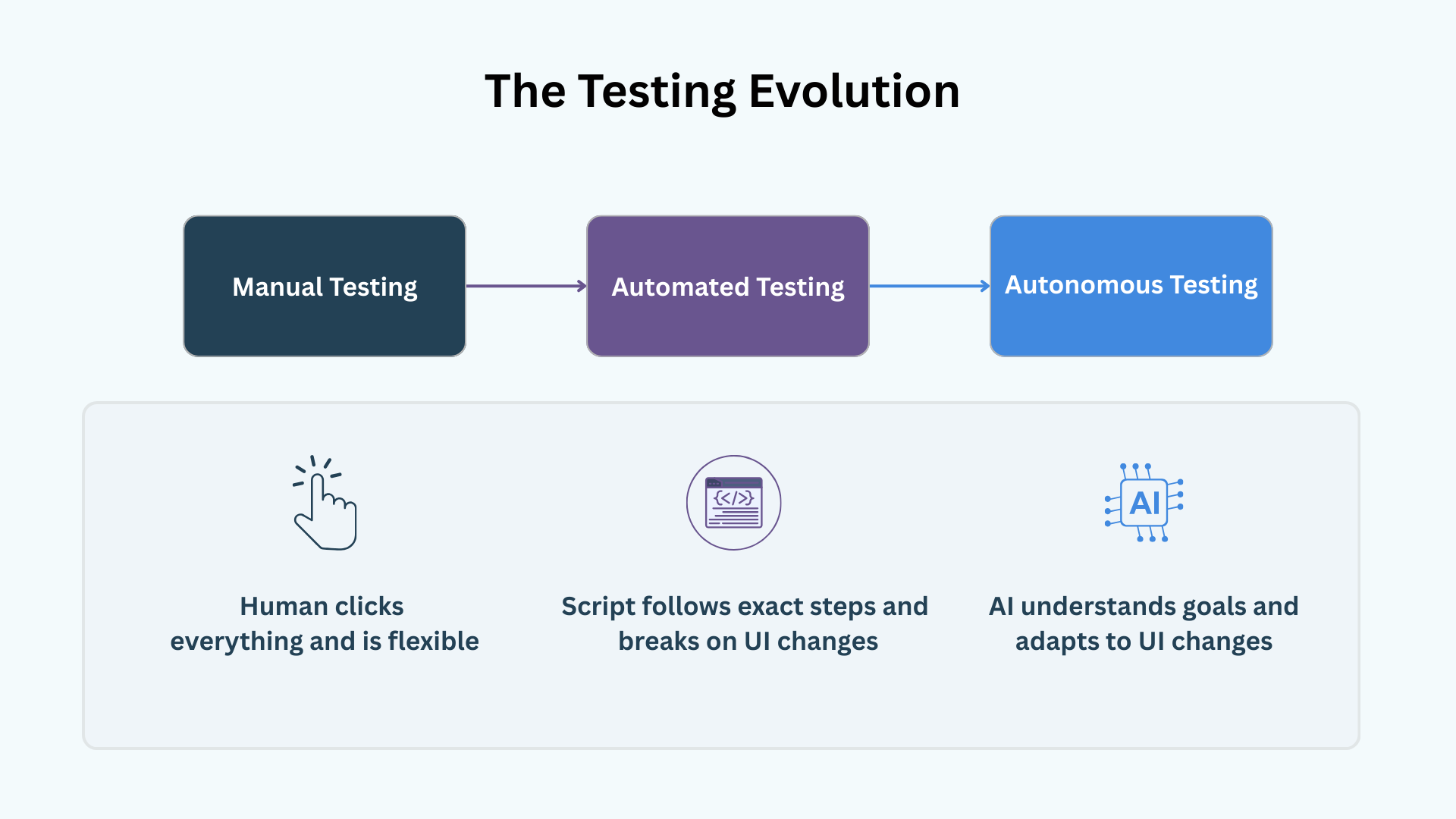
Automated QA represents the old way of testing that most teams have relied on for years: you write test scripts and follow specific steps in order to run them. These scripts run faster than humans, but they can be rigid at times. For example, when the button changes color or moves to a dropdown menu, the test will fail.
Autonomous QA, on the other hand, is the modern way of testing. It’s goal-driven, and it involves AI agents that learn and understand your app. You don’t give instructions here, as you would with automated QA. Instead, you provide objectives like, “check whether the success message pop-up comes after saving the form,” and the system figures out the steps. Also, when the UI changes, the AI adapts to it automatically and finds the new path.
Why Should You Consider Automating QA?
If you’re in the position where you can help your team make changes and start testing more efficiently, you might be wondering whether this is just another tool you’ll have to keep track of.
But, think about the real cost of your current testing setup. It’s not just about how much you pay your team. The real problem is when developers have to stop what they’re doing, wait days for QA, and then try to remember what they were working on to fix a bug. This constant back-and-forth slows everything down.
Autonomous QA solves this issue by eliminating one of the most frustrating parts of bug testing: reproducibility. If you have ever had a bug report declined with the “works on my machine” response, then you get the struggle. Autonomous QA eliminates this ambiguity by giving you perfectly reproducible steps:
- Detailed actions to reproduce the failed test case
- A video recording of the test session
- All console logs and errors
That said, if you’re new to the market and your releases are quite scarce (around 2-3 times a year), manual testing might be more efficient. Similarly, if your application website is largely static with minimal UI changes, then these benefits won’t matter that much.
Steps to Transition From Manual to Autonomous QA
Of course, you’re not expected to switch from manual testing to AI-driven QA right away. Here’s how senior engineers approach this shift.
Step 1: Evaluate Your Current Testing Approach
Before you automate anything, you need to step back and figure out what you’re actually testing versus what you should be testing. If you try to automate all of your test cases at once, you’re going to make a mess.
Start by documenting the essential tests you need for your app. Create a money audit plan that must include a list of 5 to 10 critical paths where failure impacts revenue. And ask yourself: if this breaks, do we lose money? Some common examples include:
- Authentication flows (Sign up/Sign in)
- Cart checkout flow
- Payment integration (most important, as you may lose customers here)
- Checkout/Post
You need to be brutally honest here. During the process, you may find tests that work properly and don’t need to be changed. Others may break sprints, whereas some may not work at all. Document all the annoying, time-consuming tests because those are the ones you will start from.
Step 2: Run Autonomous Tests in Parallel
Don’t trust AI blindly.
The most effective way to build confidence in it is to run autonomous tests concurrently with your own manual test validations. This is called the Shadow Mode.
If you already have tests written in Playwright, you can easily copy and paste your own test definitions into the new tool and benefit from having an initial starting point.
The good thing about using a testing tool like QA.tech is that it doesn’t require you to have access to your application’s source code. All you need to do is point the agent to your stage environment’s URL, and you’ll be all set.
Run this parallel system for some sprints. Compare the results of both manual QA and AI-based QA. Has the manual tester caught something that the AI has missed? Has the AI uncovered an edge case a human has glossed over? This is how you verify the accuracy.
Step 3: Let the System Learn Your App
For an AI agent to be effective, it needs to understand your product well. Tools like QA.tech work by scanning your whole app and building a knowledge graph about how it's structured. The AI explores the app, maps out flows, learns the navigation, understands user roles; essentially, it creates a model of how everything works.
You can help it understand your app in more detail by describing your goals in plain English, along with sample test scenarios (like, “only signed-in users can check out the products added in the cart or apply coupon on mobile”). You can also fine-tune your agent by adding your specific business logic.
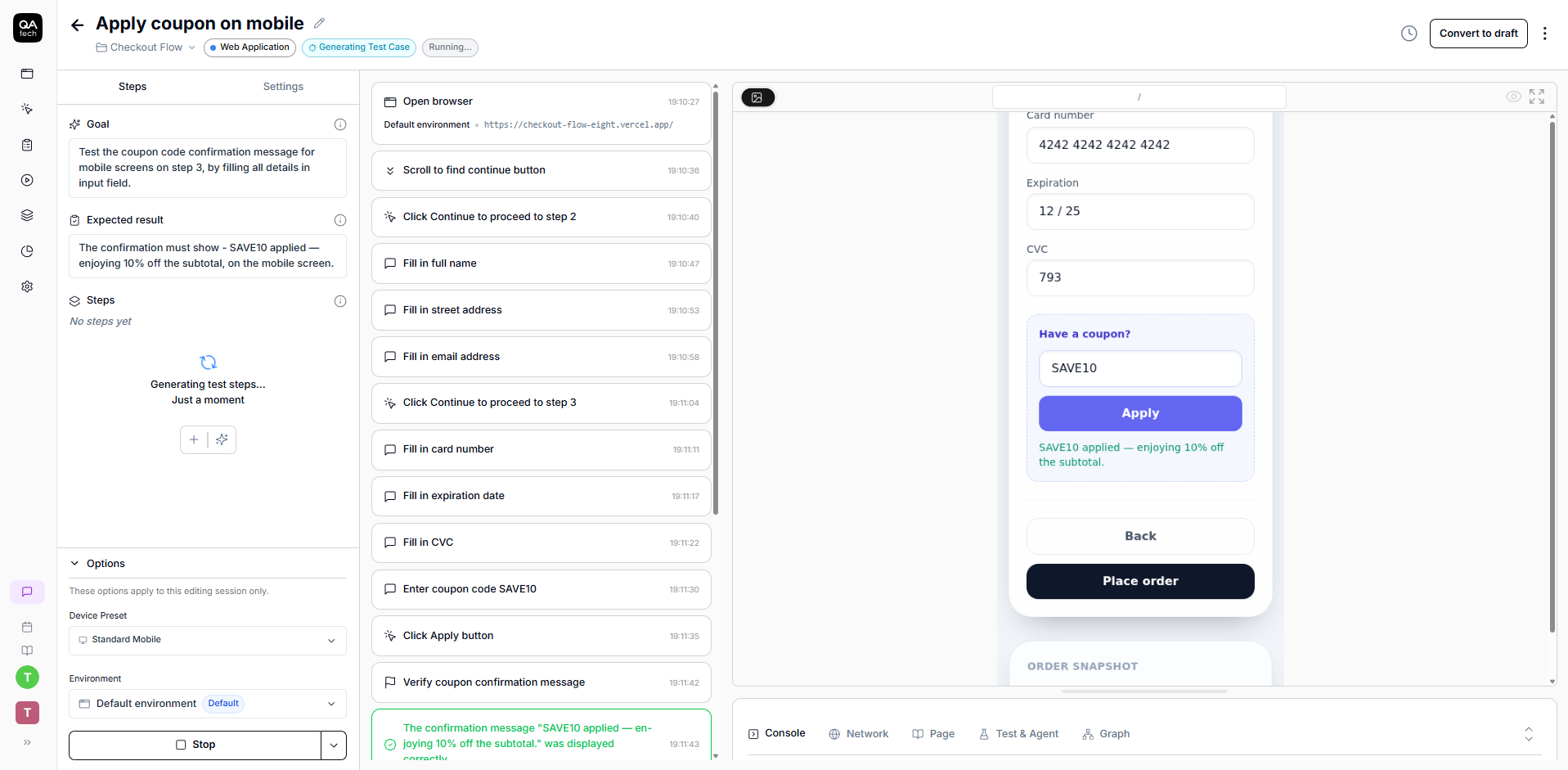
Pro tip: The AI agent knows about the common checkout process, but it doesn’t know that using the ”SAVE10 coupon” gives the subscribed users a 10% discount. You need to share these nuances with it to help it create better tests for you.
Step 4: Integrate AI Agents Into Your Pipeline
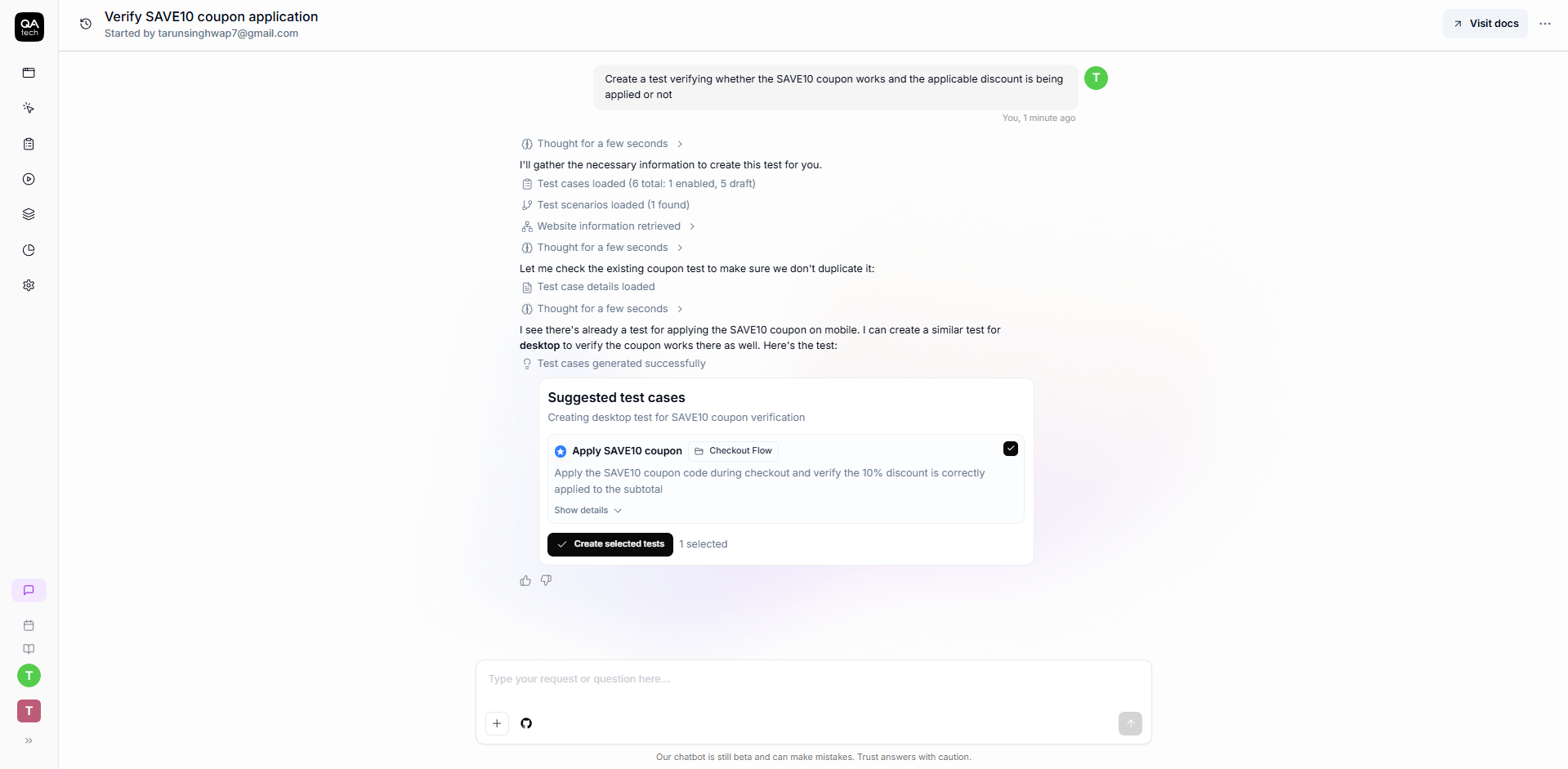
Once AI testing agents have gained your trust, it’s time to automate your whole system and integrate them into your pipeline. QA.tech allows you to embed your AI agents directly into your CI/CD workflow so that your tests run automatically on every pull request (PR).
This integration is what makes autonomous QA actually autonomous. Tests run continuously without human intervention, and your QA team isn’t clicking “Run tests” every morning. The system tests in real time, as development happens, which is exactly what modern teams want.
Learn more about run E2E tests on every pull request in GitHub Actions.
Step 5: Slowly Retire Manual Tests When Ready and Scale Gradually
But when can you actually stop running manual tests? This question can be answered by you only. Once you feel confident that the autonomous tests are catching everything your manual tests would, you can scale back. For less important tasks, it may take a few sprints only. For critical things, on the other hand, it could take months. As your time frees up, you can shift your human team’s attention toward exploratory testing (finding creative ways to break the app that an AI might not think of).
Note: Your goal shouldn’t be to automate everything at once. For the stuff that genuinely needs human intervention, continue testing manually, using AI agents to handle repetitive verification. That way, your QA team can focus on exploratory work that actually requires human judgment.
Common Pitfalls and How to Avoid Them
The biggest mistake a team can make is trying to automate everything at once. If you do this, there won’t be enough time for AI to learn the app and make mistakes. As a result, you will just overwhelm your team, and everyone will lose confidence in the new system. You should start slowly, allow AI to learn the app, and then gradually scale.
Another common issue is not training AI according to your business logic. Many teams start using AI testing agents without specifically defining their requirements, which leads to missed bugs or wrong results. That’s why you should spend some time upfront teaching AI about what really matters to you.
In addition, a frequent error that QA leads make is not involving developers at an early stage. Bring them into the pilot phase and show them how autonomous tests catch real bugs that humans might miss. This allows you to get their feedback on how to make bug reports more actionable.
Remember, AI is smart, but it’s not magic. If you change anything in your app, you need to tell the agent. Assuming AI will just understand everything on its own without human intervention or guidance required after initial setup is a very common pitfall. Don’t let it affect your success.
Wrapping It Up
Though autonomous QA won’t eliminate manual or automated testing overnight, it will definitely help you free up your time and focus on other tasks that require human thinking, creativity, and empathy. You no longer need to rewrite bug scripts. Instead, you can define your objectives and help AI agents learn your app, create tests, and run them for you.
Start small, with one test, one flow, and one goal, and let the system prove itself. Then, when you’re confident, you can scale back. The transition doesn’t have to be intimidating.
Ready to delegate the busywork and see what autonomous testing looks like for your product? Book a demo with QA.tech today, and bring your most frustrating test case. We’ll show you how AI handles it.