AI-driven development isn’t the only magic wand that speeds up release cycles. Adding AI to QA slashes time-to-market by up to 50%, which means your team can deliver a finished product in half the expected time.
AI-driven QA reduces your app’s time-to-market by automating multiple phases of the testing process. It relies on agents to generate test cases, run end-to-end (E2E) UI tests, automate regression testing, and create bug reports.
In this guide, I’ll discuss the concepts AI agents bring to the table and share best practices for getting the most out of them. You’ll also learn practical ways to utilize testing agents like QA.tech to expedite app releases. Stay tuned!
What Does AI Bring to QA?
Traditional QA tools like Selenium and Cypress have a serious downside. They run pre-written, static test scripts that often break when DOM structures and UI selectors change.
Therefore, in addition to writing test cases, QA engineers spend hours fixing broken locators and debugging flaky tests. The maintenance overhead, especially as codebases grow larger, eats into time savings that automated testing was supposed to provide.
On the other hand, AI agents are flexible and autonomous. They analyze your product to create or update tests. And they're able to do so because of the following AI concepts.
- Natural Language Processing (NLP): Natural Language Processing allows AI models to understand human language. In QA, AI agents use it to analyze documents and software requirements to extract user flows. NLP is super useful in the early stages of the SDLC for test-driven development.
- Autonomous self-directed testing: AI agents plan and execute test flows with the help of machine learning. They analyze code to identify user scenarios and then create test scripts based on them. Even better, agents can modify pre-written tests before deployment to match code changes.
- Visual E2E testing: The agents designed for E2E tests run visual tests independently and record the results. They screen record entire test sessions and create bug reports, which saves QA developers from dealing with CSS selectors and XPaths.
- Intelligent defect prediction and prioritization: AI agents use predictive analysis to review historical testing data and predict potential defects. They then prioritize those defects to allow your team to focus on the most critical bugs.
How Does AI-Driven QA Speed up Time-to-Market?
Let’s break down practical ways AI agents take charge of your testing workflows to shorten release cycles and speed up app delivery.
Create Test Cases from Documentation
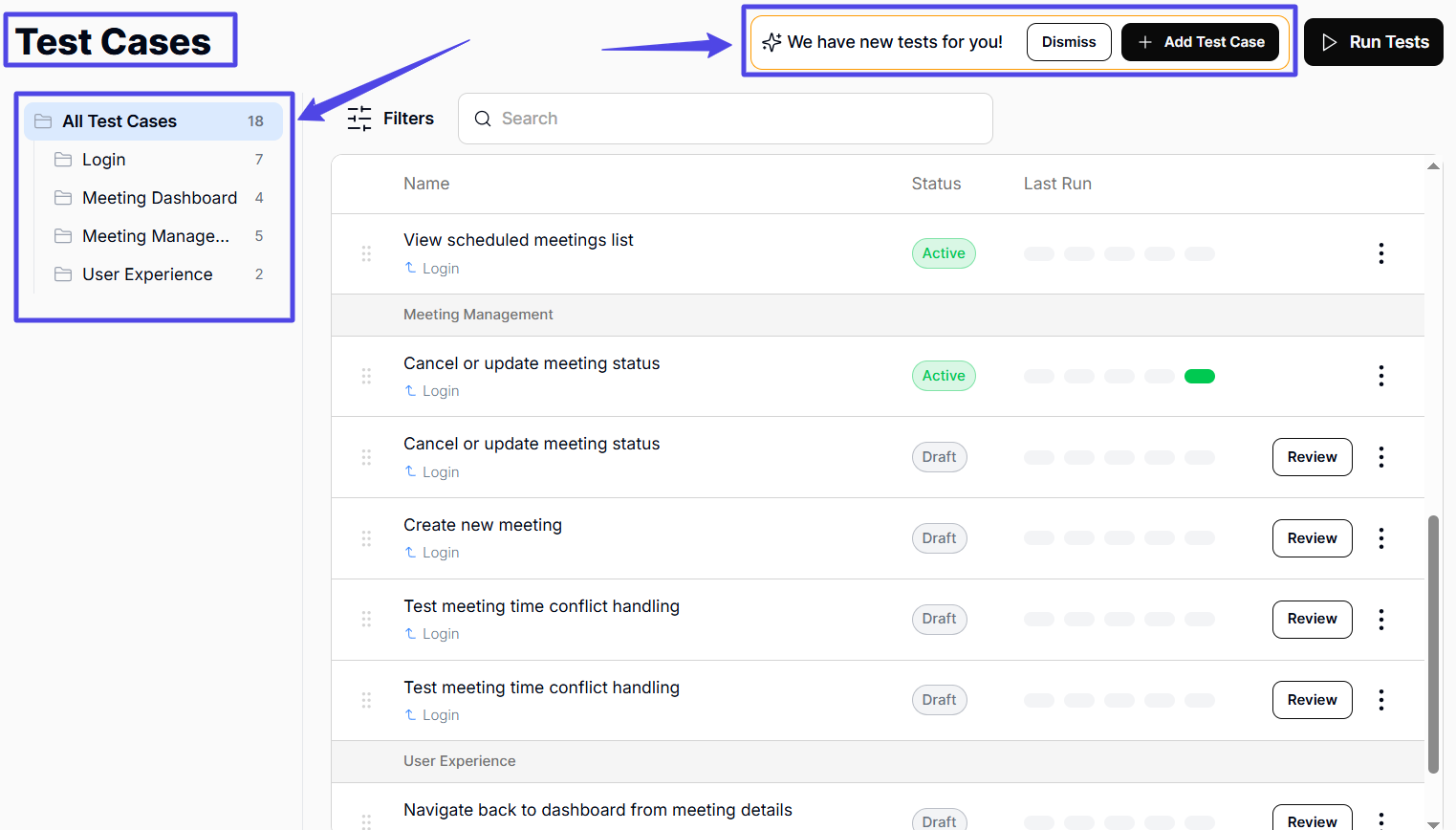
First off, your QA team can use an AI agent to analyze documentation and acceptance criteria to create test cases.
Once you upload or link your docs, the agent combines both NLP and machine learning to discover user flows as it explores the product. It then creates a comprehensive test suite of positive, negative, and edge cases, even before development has begun.
Besides this, some agents can analyze an existing codebase to understand the logic and generate goal-driven test suites that align with real user journeys.
This way, your team skips over several stages in the testing lifecycle and reduces a process from what would normally take days to minutes. Fun fact: using a QA AI agent slashes test case creation time by 80%.
Eliminate Test Suite Maintenance Across Builds
AI-driven QA eliminates the test maintenance bottleneck that follows new deployments.
Once integrated into your CI/CD pipeline as part of continuous testing, the agent detects codebase changes after each push and updates test cases accordingly. Also, you can manually trigger a rescan of your codebase to discover new user scenarios.
As a result, your team saves time otherwise spent rewriting tests. This is especially useful when your product is still in its early phases, going through lots of changes based on user feedback.
Automate Boring and Repetitive QA Tasks
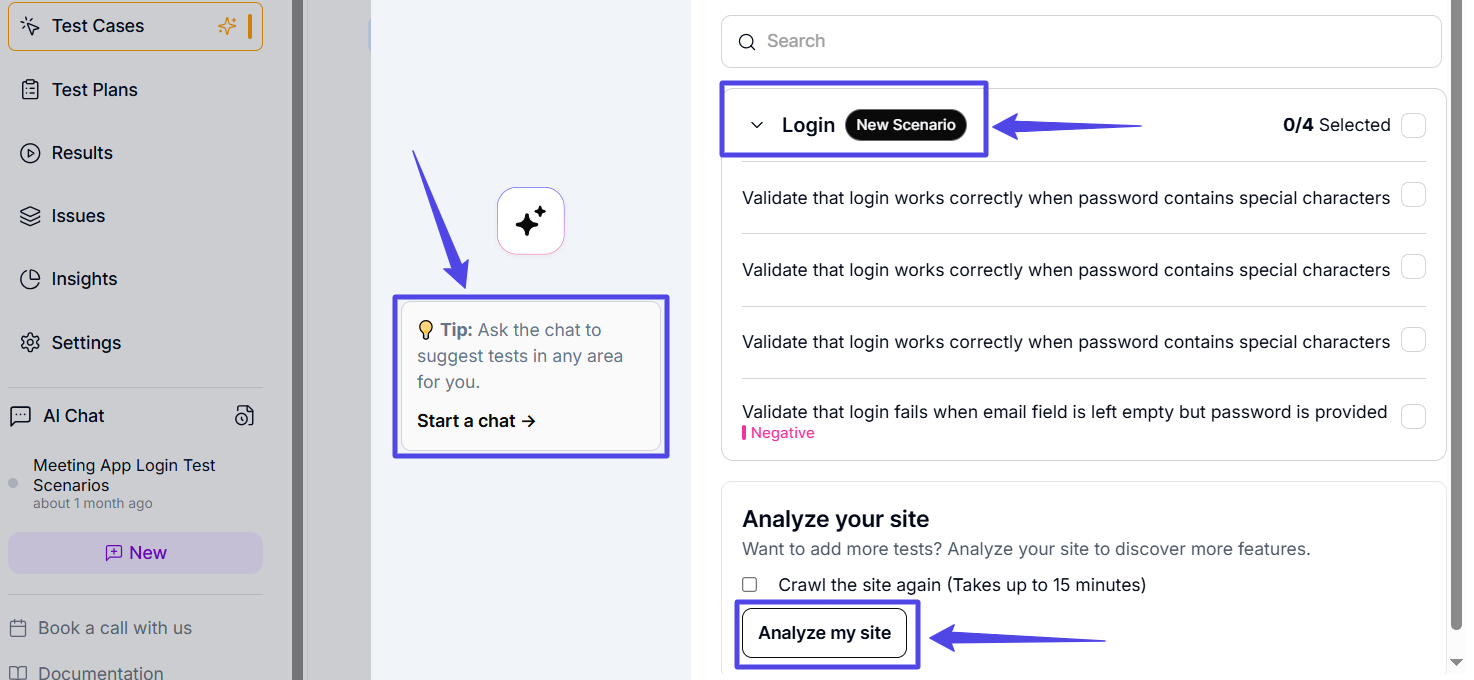
Beyond generating and updating test cases, AI agents execute boring and tedious QA tasks like creating test descriptions and acceptance criteria. They also generate wide-ranging and reliable test data in seconds. This eliminates human bias and missed scenarios.
Furthermore, these QA agents modify or convert existing scripts to different formats (for instance, they can convert a BDD scenario to a runnable test case). They also set up and manage test environments, handle test dependencies, discover new edge cases, seed test databases, and run data clean-ups after tests.
Run Multiple End-to-End Tests in Minutes
Integrating AI into visual E2E testing turns usability testing into a fully automated process.
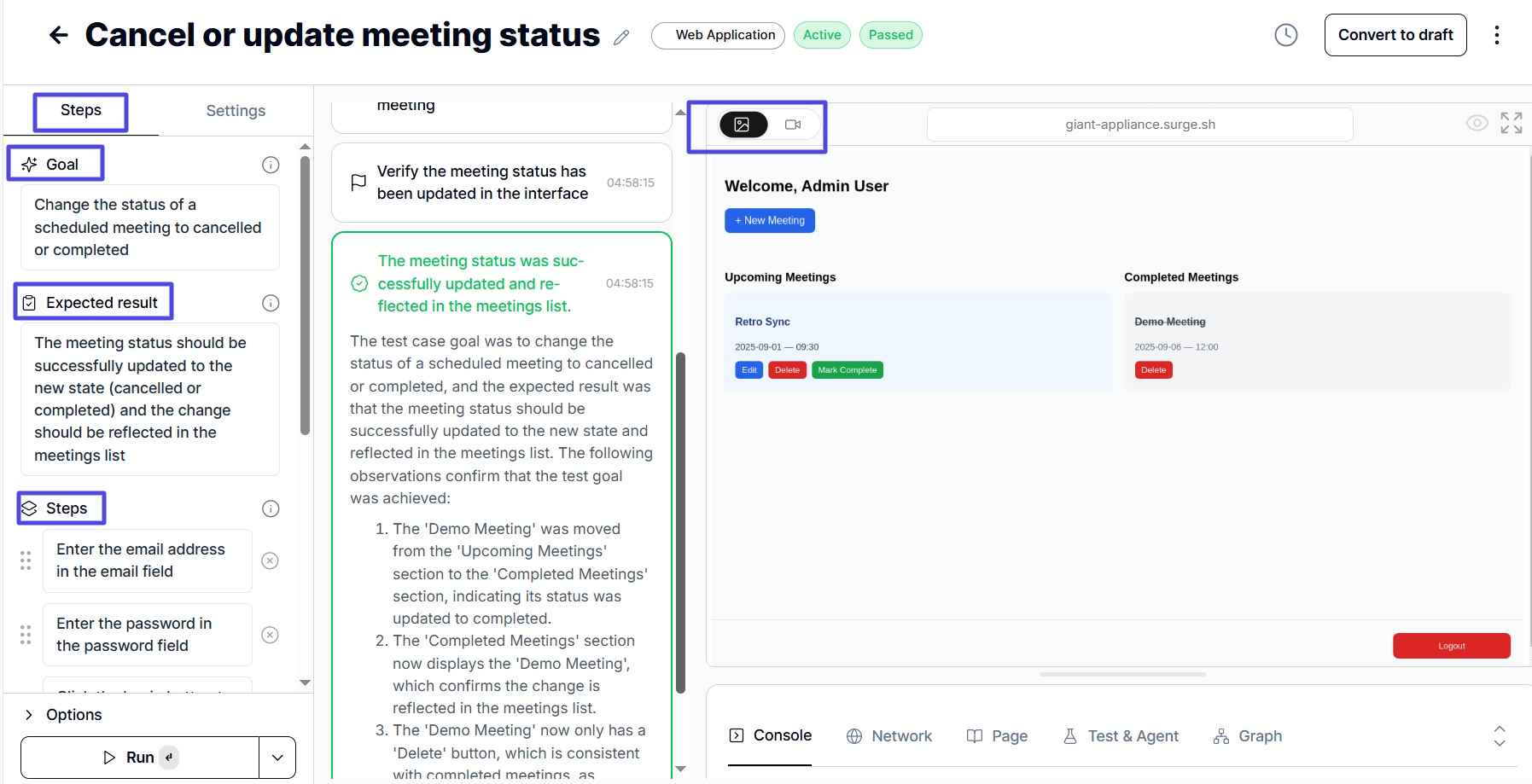
The QA AI agent breaks down user journeys into functional steps. It then video-records the test session as it occurs. For both passed and failed tests, the agent takes screenshots at relevant points and generates reports.
If you integrated a project management app like Linear, the agent creates a Linear ticket for every failed test. Even for passed tests, it tracks issues that show up. It also records metrics like start and completion time, environment used, and dependencies.
All this happens in record time. Therefore, manual visual testing and bug tracking are eliminated.
Detect and Prioritize Current and Potential Bugs
AI agents for QA analyze historical test data and code changes to identify the areas most likely to fail. As a result, your team will be able to solve potentially major issues before they even become real problems.
Even better, AI agents also review test patterns to identify anomalies. In addition, they can suppress flaky tests and only run relevant ones to get reliable results.
Best Practices for AI-Driven QA
Based on the points covered above, it’s obvious that QA AI agents already provide measurable value and greatly reduce the time and effort required to set up, run, and report comprehensive test suites. Still, you can get even better performances out of them by implementing the following practices.
Use LLM Features More
The best QA AI agents have chat features, as these can be used to explain context and expected outcomes in detail.
Sometimes, codebases and docs are poorly structured, or requirements are not detailed enough. When this is the case, don’t hesitate to provide feedback: ask for more edge cases and push for better performance overall. You can even ask the agent to analyze existing test cases, measure your test coverage, and generate tests to cover gaps.
The more AI knows about your product and your expected outcomes, the better it will be at testing your software.
Don’t Hold Back on Integrations
Take the time to integrate your AI agent with other systems, such as CI/CD pipelines, ticket trackers, and project management apps. Set up triggers for regression and E2E tests and configure the agent to add critical bugs directly to Linear or Trello. Integrate agent APIs to trigger test creation and set up triggers for post deployment E2E testing.
That way, you eliminate tons of manual effort and expand the range of the agent’s role across your workflow.
Why Choose QA Tech?
QA Tech is a trusted AI agent designed to create and run user-focused E2E tests for your web app. It also manages multiple QA processes, enabling your company to maintain a lean QA team while minimizing the time spent on test script maintenance. As a result, your testing lifecycle (and, in turn, the time it takes for your product to be released) will be significantly reduced.
Check out QA.tech to start.