During testing, teams want scenarios that feel as close to real life as possible. This often leads to the use of production data in test environments, which is where things start to get risky.
Once sensitive data enters a test environment, it’s easy for it to spread. It can appear in screenshots, logs, reports, etc. Over time, people even forget it's there. Testing workflows move fast, and data moves along with them quietly.
It's even harder to control with CI/CD pipelines. Builds, tests, artifacts, and reports are all automated, and if sensitive data sneaks into a test run, it can be duplicated in seconds. Automation increases speed, but when something goes wrong, it also increases how fast and how far data can travel.
Instead of relying on manual reviews to catch these issues, teams can count on AI QA tools that help minimize unnecessary handling of sensitive data, limit the exposure of test data, and easily spot risky patterns in testing.
Why Test Data Security Matters
When sensitive test data leaks during testing, it becomes both a quality and a security issue. QA managers are responsible for test executions, while DevSecOps teams focus on secure delivery. Test data sits right in the middle of this overlap, which makes it a shared concern.
Sensitive data is exposed through everyday testing tools and workflows, such as test data copied from production, logs and test reports, shared dashboards, or third-party services used in CI/CD pipelines. They all are essential, but without clear controls, they can become data distribution channels.
It’s also important to note that test environments are not exempt from compliance regulations. Even if real data is used for testing, they still apply. The General Data Protection Regulation (GDPR) is enforced wherever personal data is processed, the Payment Card Industry Data Security Standard (PCI DSS) applies when cardholder data exists, and the Health Insurance Portability and Accountability Act (HIPAA) is in effect when health data is handled.
What Makes AI QA Tools Different
Traditional test automation relies heavily on scripts and selectors that need constant maintenance. Each time a selector changes, tests have to be updated, which is tedious. AI QA tools take a different approach. They observe and interact with applications through the UI, following flows that resemble how real users move through the product.
This makes tests more resilient to UI changes and minimizes the need for frequent manual updates. It also means QA engineers don’t have to dig into internal systems as often just to set up or fix tests.
AI QA tools also integrate directly into CI/CD pipelines, which makes them easier to use. You can run tests on pull requests, staging, and even production. This enhanced consistency leaves no room for improvised test setups and reduces the temptation to introduce shortcuts, like copying real user data to unblock a test.
How QA.tech Helps You Protect Test Data
QA.tech validates the entire test process directly through the UI, all while making sure sensitive data is protected. This tool is capable of:
- Fitting into your delivery workflow: QA.tech runs tests on the UI and fits naturally into your delivery flow, from pull requests to staging and production. This means QA teams can test real user activities without the need to access the backend.
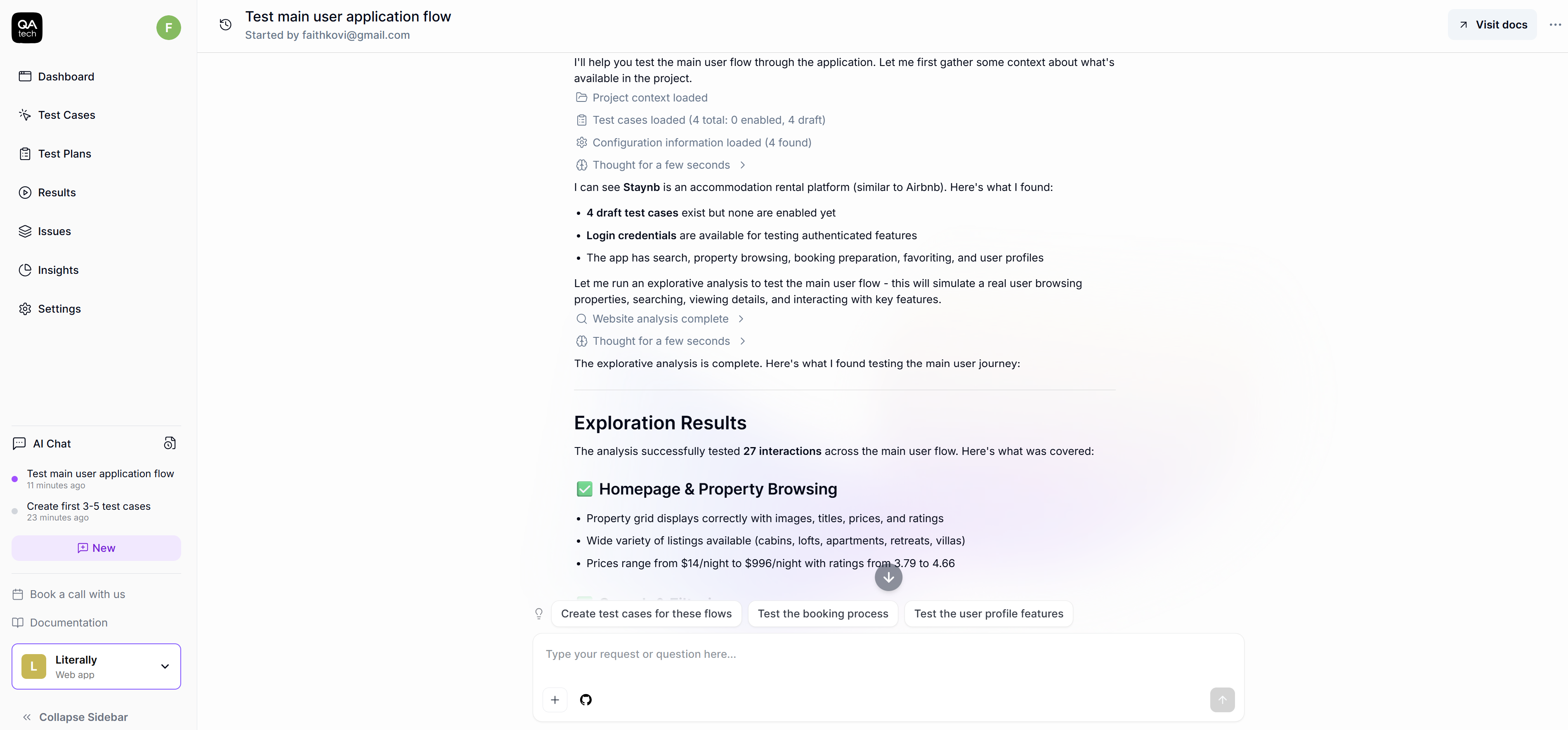
- Catching issues early: On pull requests, QA.tech uses an exploratory agent to understand what has changed, figure out which features might be affected, and run only the tests that matter. These run against the deployed pull request environment, helping teams catch regressions early without touching backend data.
- Keeping staging tests broad but contained: QA.tech performs a wide range of regression tests triggered by CI during staging, using GitHub Actions or API calls. Test results are shared through Slack, email, or Microsoft Teams. This keeps everyone informed without copying raw test data across multiple third-party tools.
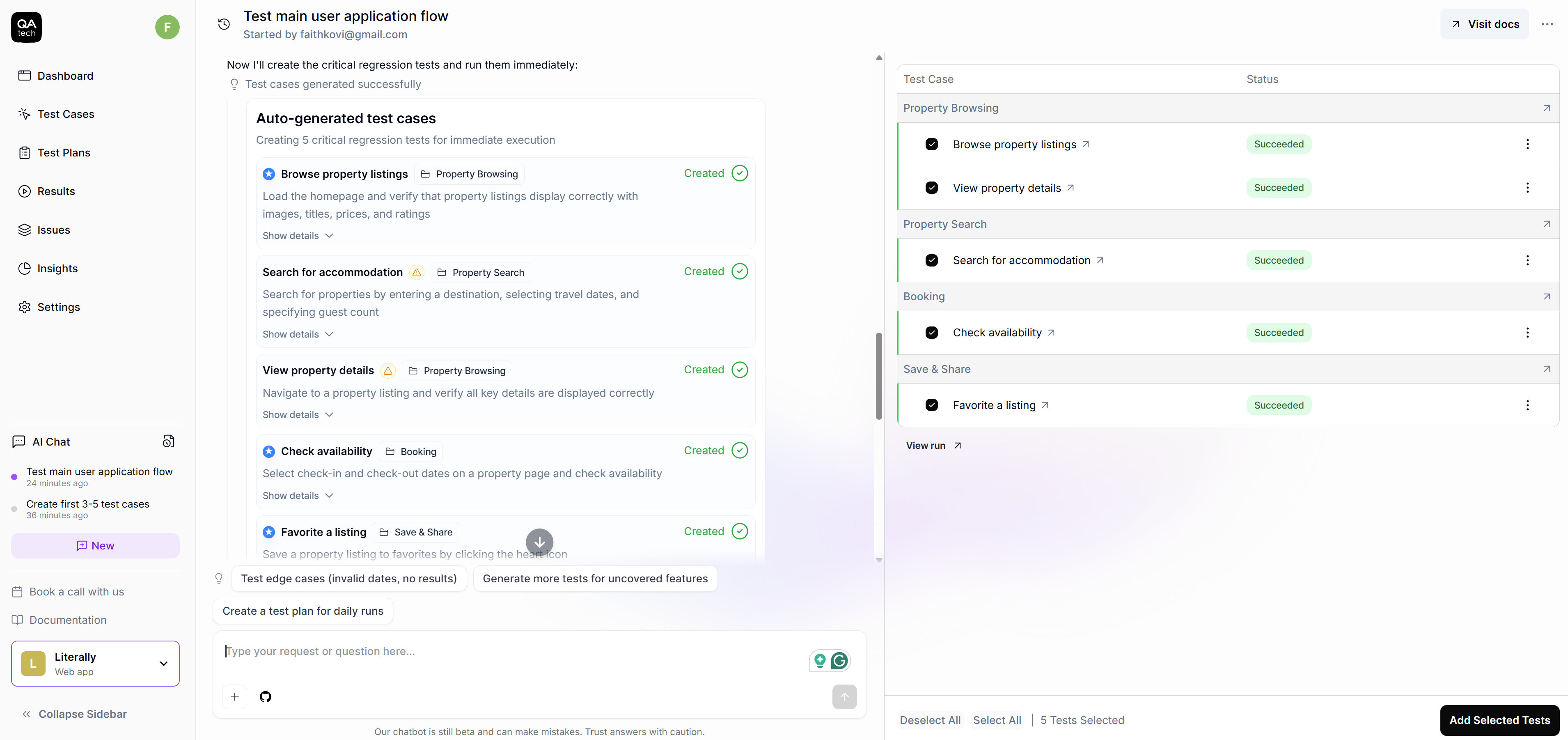
- Checking production without digging too deep: In production, QA.tech runs a quick smoke test after deployment to confirm everything is working as expected and no bugs have been introduced. These checks focus on verification rather than data access.
- Working well with real, imperfect test data: Teams can safely test using scrubbed production data where sensitive information has been removed, staging databases that are regularly reset and filled with fresh data, or long-lived staging databases that use the same test data over time.
- Testing through the UI instead of the database: Since QA.tech interacts through the UI, it can check and validate behavior without direct database access. This reduces unnecessary exposure while still allowing realistic testing.
- Fewer test fixes, less data handling: QA.tech relies on semantic understanding to identify elements instead of unstable selectors. When the UI changes, tests self-adapt, which makes them resilient. Testing is based on the new UI changes, and when there are fewer manual fixes, there are fewer reasons for engineers to access environments that may contain sensitive test data.
How Teams Benefit
Instead of spending hours digging through logs, screenshots, and test results, teams can rely on automation during tests. This shifts the focus from reacting to incidents to proactively preventing them.
QA, developers, operations, and security teams all work with the same test results, whether they come from a pull request, a staging run, or a quick smoke check in production. This shared view helps reduce “hidden” testing and undocumented workarounds, which are often where risks lie.
With safe test data practices and clear policies already in place, audits no longer feel like investigations. When everything is clear, teams can confidently explain what data is used for testing, how that data is handled, as well as who has access to it and in which environments.
Best Practices to Secure Test Data
Test environments deserve the same attention as production. However, they are often overlooked in terms of security, which ironically makes them targets for attackers.
When it comes to test data, the rule of thumb is to keep it safe. You can do this in two ways: by masking real data so sensitive fields are hidden or by using synthetic data that’s created from scratch and doesn’t belong to anyone. Both options reduce risks, but synthetic data is certainly the safest. Properly scrubbed production data works fine as well, as long as you do it right.
Finally, having clear, documented policies will help your team make consistent decisions with test data.
Conclusion
Test environments move fast and scale quickly. As such, they’re often disregarded when security discussions come up, which is exactly why they pose such a big risk. AI QA makes testing more reliable by cutting down on unnecessary data handling, ensuring test data is secure, and giving teams better visibility across the delivery pipeline.
If you’re wondering what you should do next, start by taking a step back to see how test data actually moves through your pipelines. Wherever possible, switch to synthetic data or properly scrubbed production data. This is one of the easiest ways to lower risk without disrupting how your team works. From there, implement the use of AI QA tools into the workflow, especially in places that matter most, such as pull requests, staging, and production. Finally, make sure you put clear rules and policies in writing for handling test data. Of course, they should be aligned with the compliance standards that matter to your organization.
If you want to see how UI-based AI testing can fit into your existing workflows, QA.tech’s official documentation is a good place to start.