Test coverage reports show the extent to which tests were executed during a run. They tell you what was covered and, just as importantly, what wasn’t. With this information, your team can decide whether code is ready to be shipped.
However, just because you have a coverage report, that doesn’t necessarily mean it’s reliable or useful. Coverage metrics do reveal which areas were tested, but they don’t tell you if the right user flows were covered. In some cases, teams may achieve high coverage (for example, 80%) by testing only trivial flows, which can artificially boost the metrics while leaving critical paths untested.
If you are still mapping out what QA testing should cover before you tune the numbers, start there. This article explains how your coverage reports can become more useful within your CI/CD pipeline so that your team can rely on them when making decisions before releases.
Where Test Reports Coverage Fits in CI/CD Pipelines
The same placement question applies to the tests themselves: here is how to run E2E tests on every pull request.
There are specific points within the development workflow where coverage reports fit best: after tests run or before code merges.
In most pipelines, a developer pushes a commit, code is built, tests run, coverage is calculated alongside the build, and reports are published. Most CI/CD tools attach these results to the pipeline run and display them in pull requests for review.
The automation is what makes this approach beneficial. Instead of relying on someone to manually review test coverage, you can count on the pipeline to do it for you. These reports become a checkpoint that can block a merge if new code causes coverage to drop below a threshold.
Beyond this, coverage reports also offer a bigger picture. When you track them over time, they can provide useful feedback and reveal trends that show you whether your tests are keeping up with your codebase.
The Most Common Coverage Report Problems in CI/CD Pipelines
In practice, coverage reports come with a set of problems that many teams tend to overlook:
Reports That Are Hard to Interpret or Act On
This is a common problem in coverage reports. Namely, if a report dumps too much information into a pull request, it can be overwhelming. As a result, reviewers might end up overlooking important information unless it’s clearly pointed out.
Coverage Reports Slowing Down the Pipeline
When coverage reporting starts adding an extra 5-15 minutes to a build pipeline, teams tend to push back. They may start running test coverage less frequently or only during releases, which defeats the purpose. Ideally, coverage reports should be available on the PR and not after the code has been merged.
Coverage That Ignores What Has Actually Changed in a Commit
If the test coverage is set to report on everything by default, regardless of whether specific parts changed in the current commit, it may not be of much help to developers. A developer who has only touched three files in a PR doesn’t need a full project coverage report. They just want to know whether their changes are properly tested and good to go.
Coverage Doesn’t Validate the Real User Experience
Your tests might cover the new feature but still miss edge cases or the actual user flows. In such cases, coverage reports only indicate how much was covered during the tests rather than whether the app works the way users expect it.
Failing Builds for Irrelevant Coverage Report Gaps
Imagine this scenario: a coverage threshold is set, and a developer makes changes to a config file or documentation. They open a PR, and the test coverage reports failure because of a file unrelated to these changes. The developer hasn’t touched that file, and it has nothing to do with these updates, but their PR is now blocked.
When the threshold for the entire project doesn’t have a context, every change is treated the same, even though it isn’t. An update made to an auto-generated file that is not maintained can’t be equivalent to a change in your authentication method, for example.
Improving Test Coverage Report Performance
Here’s what you can do to fix the issues listed above:
Focus Reports on Changed or Affected Code Paths
Make sure your test coverage focuses on changes themselves, and not the entire project. With this approach, you’ll be targeting the right code paths and assessing the impact of the changes that actually matter.
Exclude Generated, Vendor, and Low-Risk Files
Every project has generated, vendor, and low-risk files that can increase or decrease test coverage without reflecting the actual test quality. Including them in test coverage can introduce noise and distort reports. Most coverage tools let you exclude these files, and doing so can improve the performance of your test coverage reports.
Highlight Untested Logic That Matters
Achieving a 90% coverage doesn’t mean all logic has been tested. While you’re setting up test coverage reporting, think about the parts of your codebase that would cause serious problems if they broke without a warning. These are the areas where the thresholds you’ve set should be rigid.
For example, let’s say you have an e-commerce app. The logic around your checkout flow, authentication, and data processing deserves higher test coverage than your “About” page.
Make Pipelines Fast Without Losing Accuracy
You can make your pipeline faster by being selective about what you include in your coverage. For instance, unit tests run quickly and usually provide the best reports. Running tests in parallel and caching results can help speed things up, too.
Another thing you can do is set appropriate timeouts and fail-fast conditions. After all, if a test run is going to fail, there is no point waiting for the coverage report to finish generating.
Turn Coverage Reports Into Something Reviewers Can Use
Keep your reports simple. A good report quickly shows what has changed, what’s been tested, and what is missing. If it takes too long to understand, people won’t use it to make decisions. The goal is to give the reviewer exactly the kind of information they need to say "this PR needs more tests" or "this looks solid." Nothing more.
Look Beyond Coverage
Even the clearest coverage report leaves a gap: it doesn’t confirm whether the software behaves correctly for real users. This is where teams need another level of validation, something that evaluates actual app behavior. And that’s what tools like QA.tech can help with.
Making Coverage Work With Pull Requests
If coverage reports in PRs are clear and easy to understand, they can positively influence how teams work. Developers are more likely to write better tests because the gaps are visible, and reviewers can quickly see what’s missing.
As mentioned, it’s often more useful to show coverage only for the changes introduced in that pull request since this keeps the report focused and useful. It also helps to set the right rules.
Many teams require test coverage for new code but treat the overall coverage as a guideline rather than a strict rule. That way, they maintain quality without blocking development unnecessarily.
A good coverage report should be able to answer three simple questions:
- What has changed?
- What has been tested?
- What hasn’t?
For example, if a PR introduces a new API endpoint with zero test coverage, that shouldn’t be missing from the report.
How QA.tech Strengthens Coverage Reporting in Your CI/CD Pipeline
Coverage reports are only useful when tests behind them are actually focusing on the right things. If your report is telling you all flows were covered, but the tests themselves are outdated or don’t reflect how real users interact with the application, then its results are meaningless. At that point, the conversation shifts from measuring test coverage to improving what actually generates those coverage reports.
QA.tech approaches this issue from a different angle. It uses AI-powered exploratory testing to analyze what has changed in a pull request and determine what actually needs testing. The GitHub App setup connects QA.tech to your repo, then runs automatically on pull requests. When a PR opens, it looks at the changes, figures out what has been affected, and checks what’s already covered.
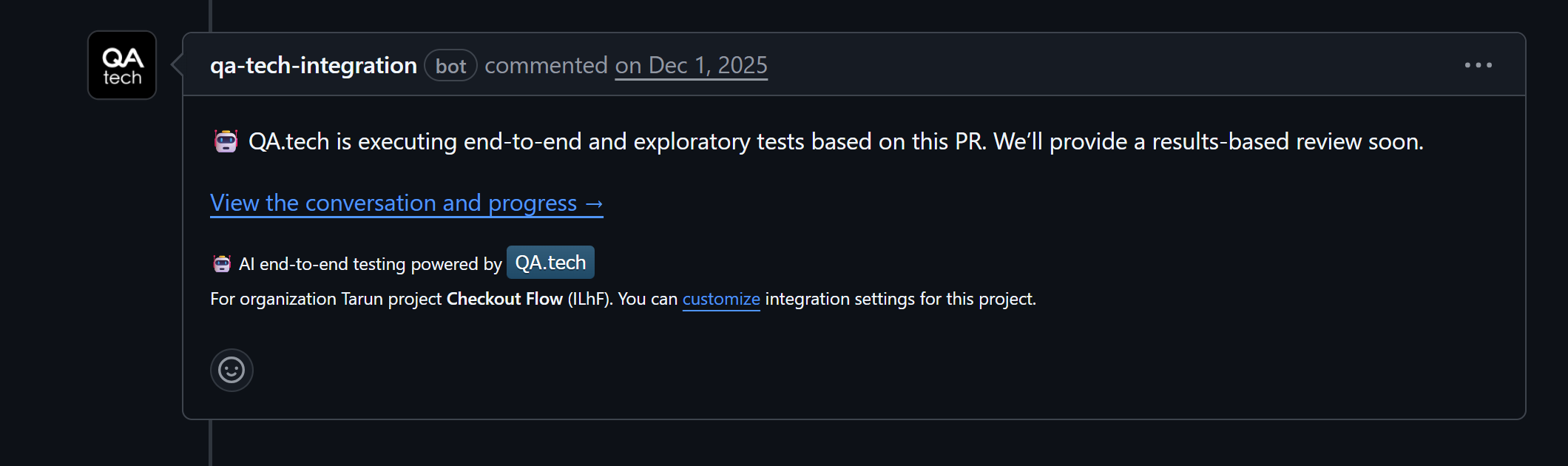
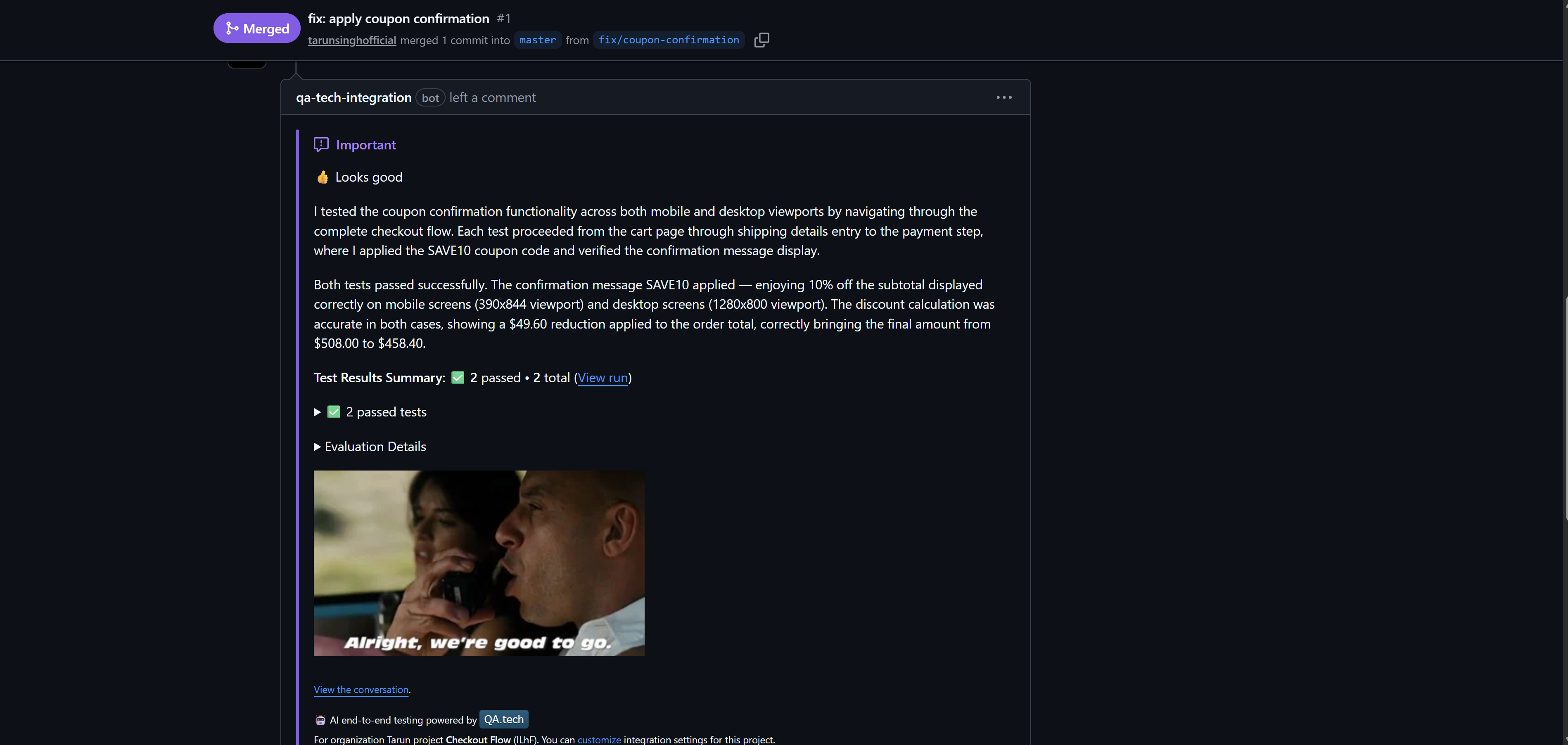
If it finds gaps, it steps in. It creates and runs tests against the preview deployment, interacting with a real browser just like a user would. So, instead of just tracking executed lines, you see actual user flows being tested.
All this runs automatically on every PR. Results show up directly in the PR on GitHub, so you can see what has been tested and whether anything has failed.
Another valuable aspect is that QA.tech tests persist and run again on future pull requests, gradually building the test suite. Over time, this improves coverage reporting and reduces repetitive work.
Conclusion
In order to get the most use of test coverage reports in CI/CD, you need to make sure they are optimized. You should focus on what has changed, ignore the files that add noise, keep the pipeline fast by collecting only the data you need, and show the reports right where developers can see them: inside pull requests.
When your tests are reliable, coverage reports become more valuable. And that's where a tool like QA.tech fits in: it uses AI to explore what has changed, test it against real deployments, and produce test coverage reports in your pull requests.
If you want your reports to reflect more than mere percentages of what has been covered, explore how QA.tech can help you validate real user behavior and improve testing throughout your CI/CD pipelines. Book a demo today to find out.