
If you are an engineering manager, CTO or QA lead considering new agentic testing tools in 2026, it can be difficult to separate the real capabilities from mere marketing claims. You need a proper framework for that.
This post lays out everything you need to be aware of when choosing the right AI testing tool for your app. It will walk you through six key dimensions of evaluation, along with red flags you need to keep in mind.
We will also cover how QA.tech aligns with (and differs from) these evaluation criteria.
Key takeaways
- "AI-powered" now covers everything from selector auto-healing to fully autonomous QA agents, so the label alone tells you little about real capability.
- Evaluate agentic testing tools across six dimensions: test intelligence, adaptive testing depth, CI/CD integration, failure transparency, security and compliance, and cost scaling.
- Self-healing is a spectrum, not an on/off feature: shallow selector remapping is table stakes, while deep flow re-reasoning after a redesign is rare and far more valuable.
- Red flags: claims of 100% autonomy, no step-level logs, non-exportable test formats, and dashboard-only tools.
- The only reliable test is a pilot on your own application: rebuild 10 end-to-end tests and count manual touches across two sprints.
The Problem with Tool Evaluations Today
When every testing tool claims to be AI-powered, the label starts to lose its meaning. AI does matter when it comes to testing applications, but today, this term applies to everything, from basic selector auto-healing to fully autonomous agents. And to be honest, these are not the same thing.
Engineering leaders need a way to separate the tools that can actually reason about how to use and interact with an application from the ones that simply repeat actions with some sort of a more sophisticated wrapper. The next section gives you exactly that.
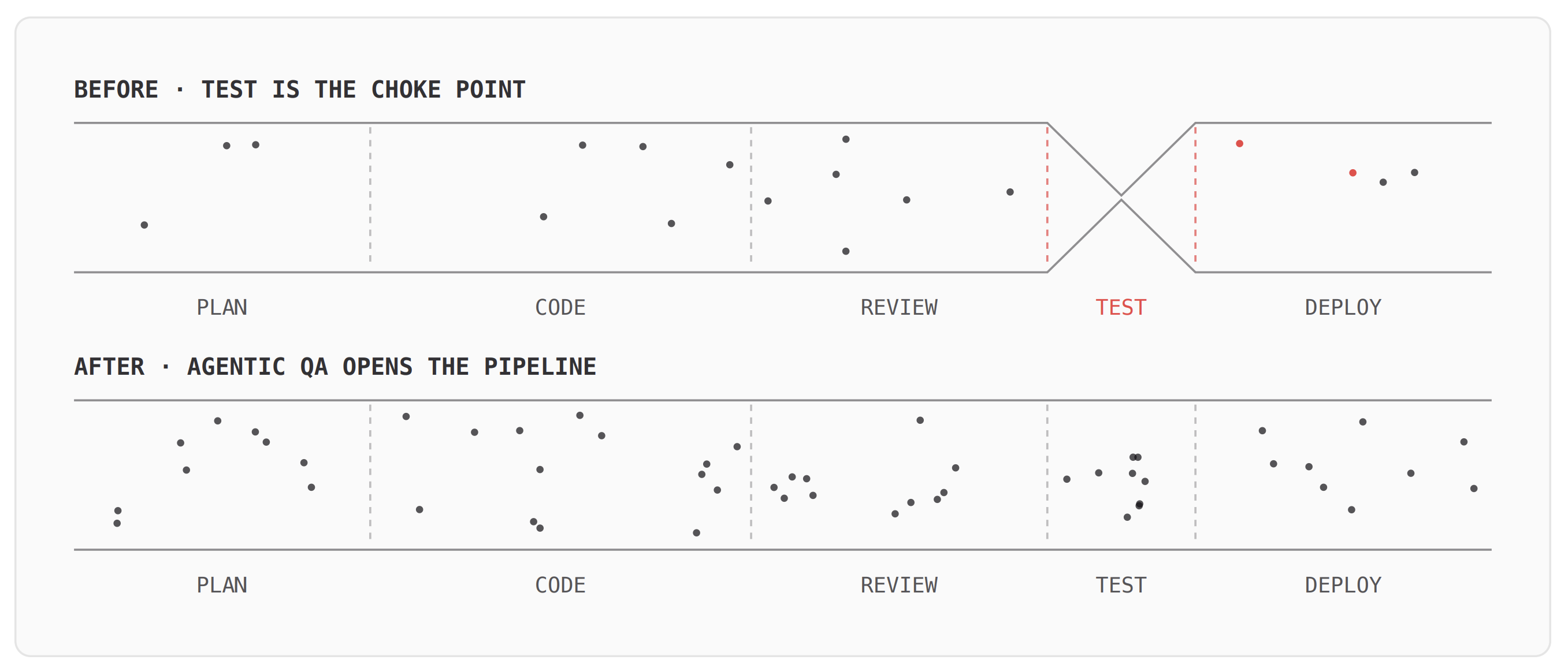
As you can see from the diagram, testing is where the pipeline slows down. Agentic QA can move that bottleneck out of the way.
Evaluation Framework: Six Dimensions
A good agentic testing evaluation starts with asking the right questions. Without a consistent framework, polished demos can hide real product limitations and make them appear more capable than they actually are.
Test Intelligence
Is the tool capable of reasoning about your app, or is it just running recorded actions with a language model on top?
An easy way to test this is to take a user flow (such as the checkout process) and throw an unexpected cookie consent pop-up in the middle of it. Will the agent continue with the checkout process? Or will it freeze because the cookie consent wasn’t part of the original recording?
Most of the tools that say they have “intelligent” capabilities don’t have the ability to deal with unexpected situations. An genuinely intelligent user agent will approach this issue differently. Their goal will be to complete the checkout rather than complete the fixed series of steps during the checkout process.
Ask: Can the agent complete any form of the user journey it hasn’t encountered previously, including using non-existent UI elements? Does it adapt to unexpected states, or does it simply stop?
Adaptive Testing Depth
There’s a lot of confusion around what vendors call "self-healing". The term itself is a bit misleading, as it implies something was broken in the first place. QA.tech calls this adaptive testing, which is a more accurate description.
Almost every AI QA tool comparison you see treats this feature as binary: either a tool has it, or it doesn't. In reality, though, self-healing is a spectrum.
On the shallow end, you have selector remapping. We unpack where shallow healing breaks down in our guide to self-healing tests misconceptions. If a button's CSS class changes from btn-primar to btn-main , the tool simply adapts to that change. In 2026, this should be a given.
On the deeper end, you’ll find flow re-reasoning. When a full settings page is redesigned from a single page to a tabbed layout, the agent will plan a new way of obtaining the same information. This is a much different capability, and most tools still can’t do it.
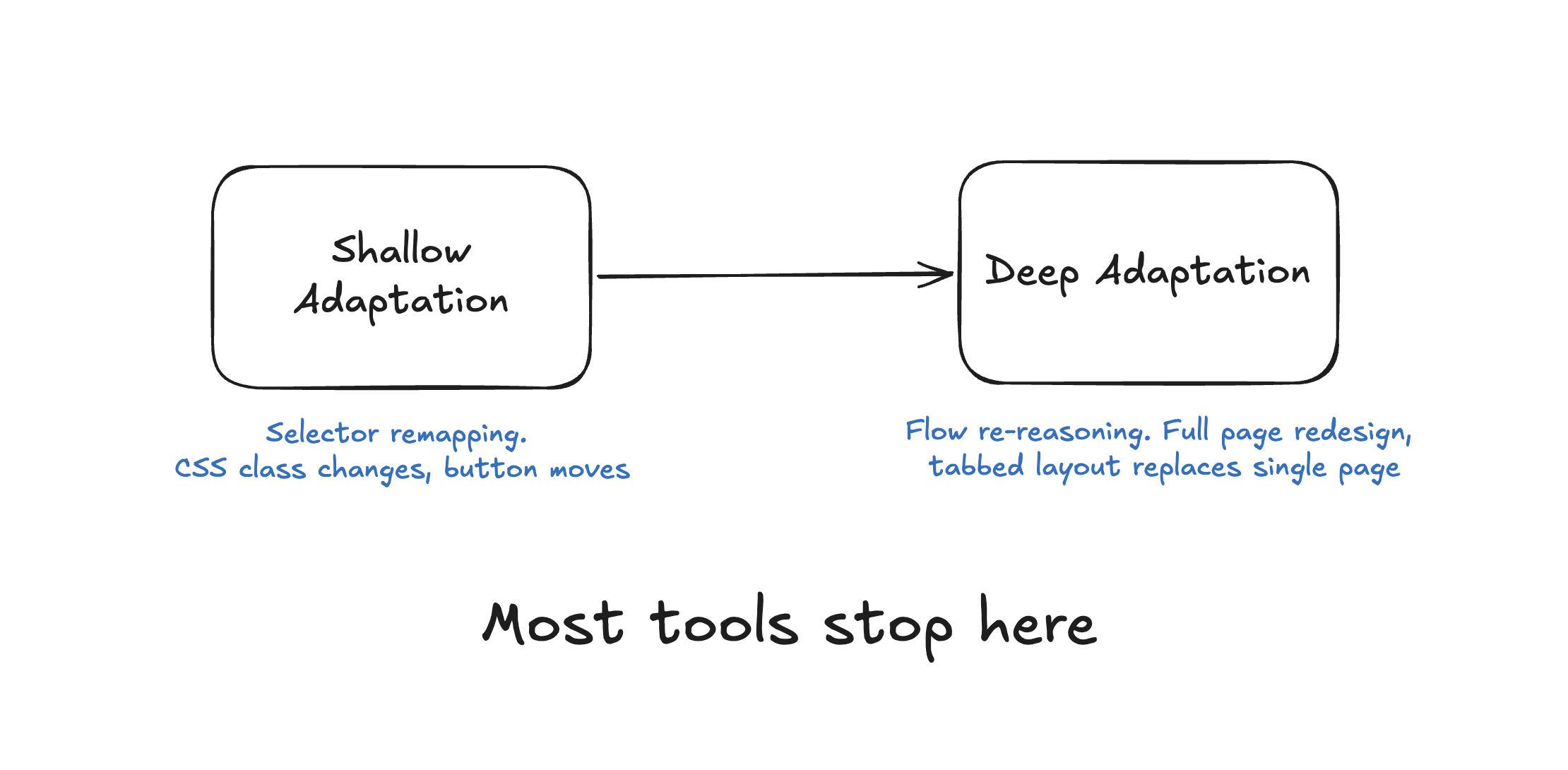
Ask: What happens when you redesign an entire page layout after two test runs? Does the tool find new selectors, or does it revisit/re-evaluate the entire flow and adapt?
CI/CD Integration
If a tool can only be used as part of a dashboard, it won’t survive long beyond the pilot phase. In about 30 days, your team will completely forget it exists.
The main issue you need to investigate is how well this tool integrates with the current pipeline. Does it run tests on all pull requests? Does it use a “blocking" mode (where a failed test prevents the merge)? How does it handle non-deterministic results, such as flaky tests?
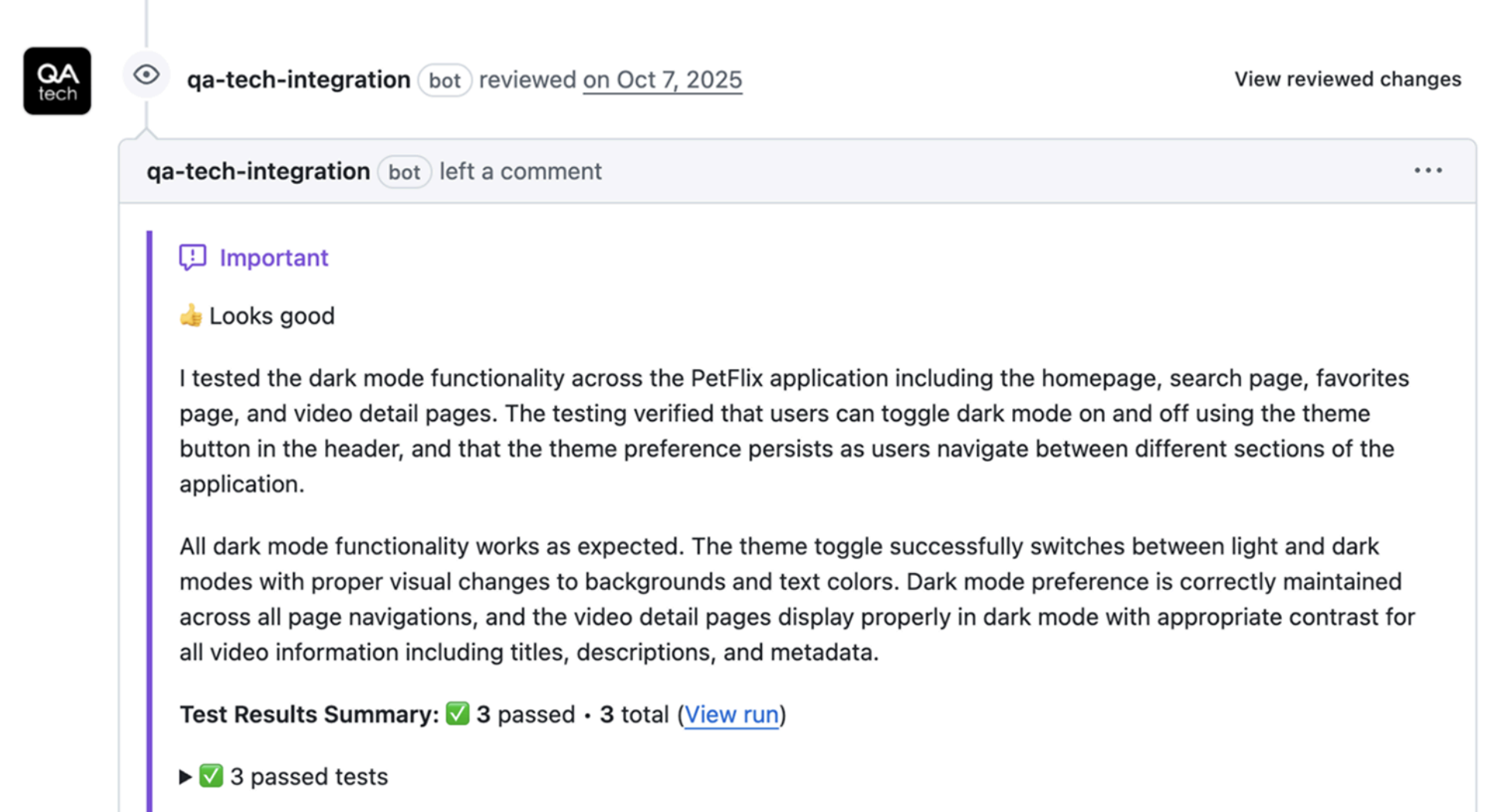
The integrations that actually stick are the ones where results show up inside the developer's workflow, including PR comments in the GitHub repositories. Ideally, tests should also run automatically on release, not just PRs.
So, when evaluating the tool with this perspective in mind, these are the questions you want to ask:
-
Does it support blocking mode and fail the build upon test failure?
-
Does it run on PR-level events so feedback shows up before merge?
-
How does it handle test flakiness across environments?
Transparency and Test Failure Visibility
If a test fails and your engineer cannot find out the reason why it happened in two minutes tops, you’ve got yourself a real problem.
One of the most common causes for this is a black box agent. The agent has failed a test, yet all you have is the message stating “Test Failed.” There will be no step-by-step trace log, screenshot, or reasoning chain detailing how the agent proceeded through its actions and what it did wrong.
That’s why you need to look for tools that give you step-level execution traces, including (ideally) the screenshots of each step, console logs, network requests, and a clear explanation of why the agent has performed each action.
Ask: Can you see how the agent reasoned at each step? How quickly can an engineer resolve a test failure?
Security and Compliance
This one usually gets left for procurement, but to be frank, it should fall under the technical evaluation. Where is your test data stored? Does the vendor have SOC 2? How does the vendor handle GDPR? And very importantly, does the agent access live/production data? Some tools need production access to crawl, learn, and the like, but this is a deal breaker in many regulated industries.
Also worth asking: does the tool require access to your source code? The best agentic testing tools can run tests visually against your product without ever touching the codebase. And for fintech and other regulated teams, this is often the deciding factor.
So, these are some solid questions you should ask the vendor:
-
Where is your test data stored/processed?
-
Are you SOC 2 and GDPR compliant?
-
Does the agent require production access?
Cost Model
The pricing models for the best AI testing tools 2026 vary tremendously. Some vendors charge per test, some do it per test run or per user, while some charge a flat fee. With that said, the pricing model really isn’t that important. What is important is how the pricing model scales.
For example, let’s say you have 50 tests now. In six months, you may have 200, and one year from now you could have 500 or more. What will the invoice look like at each of those stages? Vendors that have a per-test-run pricing model can get very expensive very quickly, especially when they are running suites of tests on each of the PRs.
Here’s what you need to inquire about:
-
How does the cost scale as my suite of tests increases 5-fold?
-
Are there any potential hidden costs associated with running tests via CI and running tests in parallel?
One cost question sits outside the tool comparison: whether you are buying software or buying people. A managed service prices per test built and maintained, a platform prices per run or per seat, and the two scale on completely different curves. QA.tech versus QA Wolf is that trade-off with numbers attached.
Red Flags to Look Out For
Here are a couple of things in vendor demos that raise immediate concerns:
-
Claims of 100% autonomy: As of now, there isn't a tool or company that offers a testing system capable of completing every test case autonomously. Therefore, good vendors will offer insight into which tests require human interaction and which ones don’t. Any claim of a 100% autonomy, even for a non-complex app, should be taken with a grain of salt since this often suggests the vendor isn’t putting enough effort into developing and validating their own apps.
-
Lack of step-level logging: If you can't see the reasons why an agent has acted in a specific manner during the testing process, you won't be able to trust it in CI.
-
Proprietary test formats that are non-exportable: Are you able to get your defined tests from a proprietary solution in a consistent and standard format, or are you locked into that vendor's solution once you commit?
-
Testing primarily performed on a dashboard: If you need to trigger any of your automated runs through a UI manually, it likely won’t end up being adopted as part of the standard workflow.
How QA.tech Stacks Up
As an AI testing tool, QA.tech builds a knowledge graph of your app before a single test is written, which allows it to reason about goals, not click paths. This enables adaptive testing at the flow level, not just selector remapping. The GitHub PR integration is native, with step-level execution, screenshots, and videos included in every run. In addition, tests can be easily created using simple and natural language (plain text) prompts, so there’s no need for scripting.
QA.tech is also SOC 2 and GDPR compliant. Pricing is consumption-based and tied to actual runs, not seats or tests authored. That said, the platform is still growing. GitLab and Azure DevOps support are expanding, as is API testing depth, and it's worth confirming the status of both in your pilot.
If you’re looking for an example of successful adoption, Pricer managed to maintain and grow its test coverage using QA.tech even though they had reduced their team of QA engineers from eight to two. Now, that’s the kind of real-world outcome that you can use as a benchmark.
Buying models matter as much as features here. The clearest version of that trade-off is a managed QA service versus an in-house agent.
Wrap-Up
There’s really no substitute for running an actual pilot on your own application. Take the time to identify 10 existing end-to-end (E2E) tests that are currently in place, rebuild them using QA.tech's platform, and track each test through two sprints for the manual touch count. Build your vendor shortlist from our roundup of the best agentic QA tools in 2026 and run those tests as the pilot. This will give you a more accurate representation than any demo designed to showcase only the best-case scenario.
Book a 30-minute call with QA.tech and have them test against your actual product, not a demo system. That’s the easiest way to see how it performs on software that matters the most. Your own.