
AI coding tools made code cheap to write, and for most teams delivery barely got faster. Faros AI studied telemetry from more than 10,000 developers: teams with high AI adoption merge 98% more pull requests, PR review time rises 91%, and at company level they found no significant link between AI adoption and better delivery.
The extra code piles up between "PR opened" and "running in production", and that stretch is where the seven practices below apply.
What is developer velocity?
Developer velocity is how fast a team turns a change into working software that users have. The closest standard measure is DORA's lead time for changes, the time from commit to production. Commit counts and story points rise when an agent writes more code, so on AI-assisted teams they tell you very little.
1. Test every pull request on its own preview environment
A preview environment, often called an ephemeral environment, is a short-lived deployment of a single branch. It appears when the pull request opens and goes away after merge. Vercel's docs describe them as a way "to deploy and test changes in a live setting, without affecting your production site", and Vercel creates one by default when you open a pull request on GitHub, GitLab or Bitbucket. Netlify does the same, and Render and Railway offer per-PR environments too.
Testing on that preview catches failures while they're still cheap. A broken checkout found after merge means a hotfix from a developer who has already moved on, and a blocked staging environment for every other team that deploys there. Found on the preview, the same bug stays on one branch while its author still remembers the code.
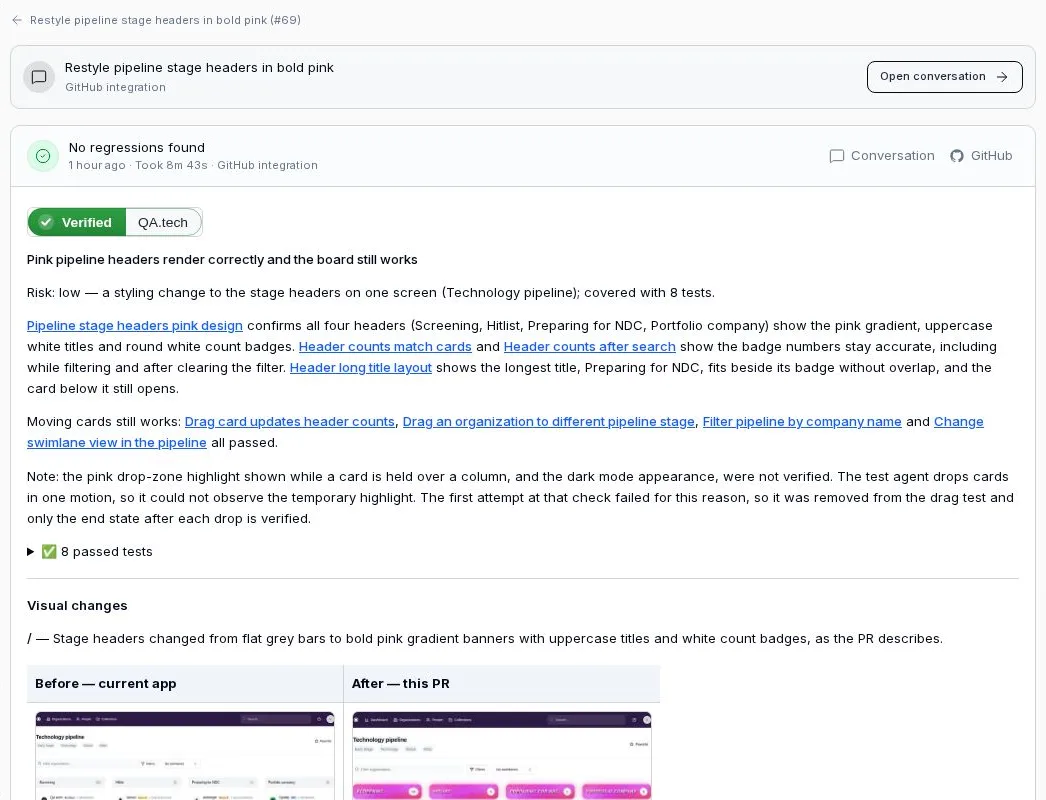
Unit tests have already run in CI by this point, and code review, human or AI, reads the diff. The preview is where something opens the running app and uses the flows the change can reach. Vilhelm von Ehrenheim, our co-founder and Chief AI Officer, put the question this way at a CTO Craft session in September, using a framework upgrade as the example: "If you did update Next.js, did the app actually work? Can I still execute all the different user flows that are important to us?"
Plenty of teams don't have previews yet. Seven of the teams we spoke to in September and October had no per-PR environments, and most planned to test after merge against staging instead. That works as a stopgap, but every failure then lands on a shared branch. If your host doesn't create previews, deploy a container per pull request on something like Cloud Run and publish its URL as a GitHub Deployment so other tools can find it. Protected previews need a bypass header for automated visitors, plus seeded test accounts so a fresh environment has data to log in with.
2. Keep pull requests small, including the ones agents open
Small changes get reviewed faster. In Google's study of its own code review, covering 9 million reviewed changes, the median change modified 24 lines. Authors waited a median of under an hour for first feedback on small changes and about 5 hours on very large ones.
Agents push the other way. Faros measured a 154% increase in average PR size on teams with high AI adoption. Put a size limit in the agent's instructions and ask it to split larger work into stacked pull requests, where each PR builds on the one before and gets reviewed in order. Reviewers then read one idea at a time, and the first part can merge while the rest is still in progress.
3. Set review depth by risk
A README edit and a change to the payment flow shouldn't wait in the same queue. The Claude Code team publishes its version of this in How the Claude Code team does code review: a classifier sets one of three tiers, low-risk changes need no human approval once automated checks pass, and the riskiest need two reviewers.
Ona let an AI agent approve low-risk pull requests and saw median time to first approval fall from 2 hours 49 minutes to 3.8 minutes, with lead time down 74%. In both setups the author can't set the tier for their own change. We go through how to build the tiers in risk-based testing for pull requests.
4. Write the repo's rules down for agents
Review comments like "we don't do it that way here" point to rules nobody wrote down. Coding agents read an AGENTS.md file at the root of the repository before they start, and agents.md reports the format in use by more than 60,000 open-source projects. The Agentic AI Foundation under the Linux Foundation now stewards it.
Useful contents: how to build and run the tests, naming and structure conventions, directories the agent must not touch, the PR size limit from practice 2, and how to describe a change in the PR body. Once a rule lives in the file, nobody has to repeat it in review.
5. Make the agent run the checks before it asks for review
An agent can lint, type-check and run unit tests inside its own session, then fix what fails before a human sees anything. Make that a required step in the agent's instructions, so a PR never arrives red. We cover this loop in how to verify coding agent work.
These checks have a limit. Asked at the same CTO Craft session whether test-driven development matters more with agents, Vilhelm said: "if they're writing the [tests] and the implementation at the same time themselves, there's still a huge risk for bias. So I think it's very important to have some kind of external verification on top of that, that is not controlled by the agent loop itself." Passing its own checks shows the agent built what it meant to build, and the check on the preview in practice 1 is the external one.
6. Use a merge queue to keep main green
Two pull requests can each pass on their own and break main together. GitHub's docs describe the merge queue as a way to "increase velocity by automating pull request merges into a busy branch and ensuring the branch is never broken by incompatible changes." Each queued PR is checked against the latest main plus the PRs ahead of it, so authors stop rebasing and re-running CI by hand. It pays off once many people, or many agents, merge into the same branch every day.
7. Merge to trunk daily and ship behind feature flags
DORA's research on trunk-based development links higher delivery speed and stability to three habits: three or fewer active branches, merging to trunk at least once a day, and no code freezes or integration phases. AI-generated volume makes long-lived branches worse, since more parallel changes mean more conflicts.
Feature flags make daily merging safe, because unfinished work can ship switched off. A flag doubles the states a flow can be in, so test both sides of it on the preview, as covered in feature flag testing.
How to tell whether it worked
Track lead time for changes and change failure rate for a month before and after each change in practice. If PR count climbs while lead time stays flat, the bottleneck has moved further down the pipeline. Our piece on DORA metrics in the AI era covers which numbers still mean something when agents write the code.
Where QA.tech fits
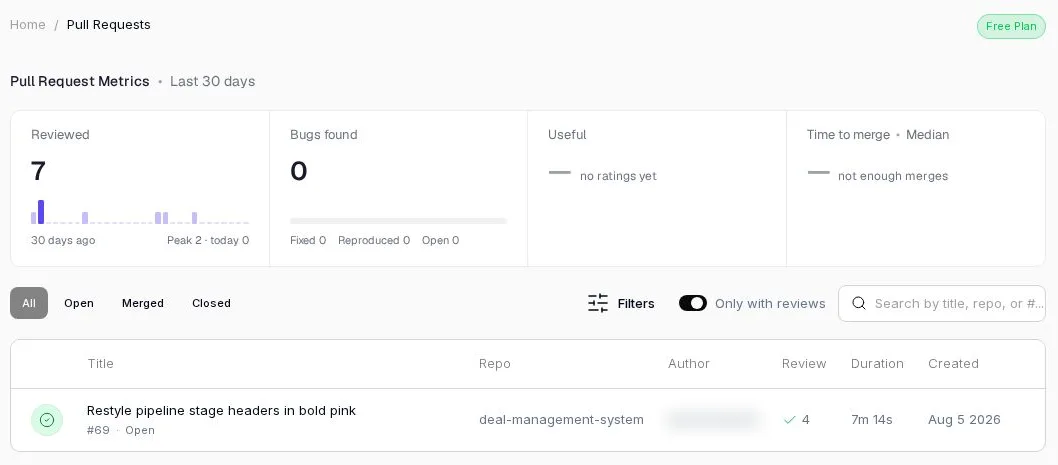
QA.tech, an AI testing platform with GitHub PR integration, needs something deployed to test: a preview URL before merge, or staging after it. Code that isn't running anywhere is out of its reach. PR testing reads each pull request that passes triage, picks the existing tests that cover the change, adds tests only where coverage is missing, runs them against the preview and posts a review comment and a status check on the PR. It finds the preview through a successful GitHub deployment, which Vercel, Netlify, Render, Railway and Fly.io create for you, through a URL in an @qa.tech comment, or through a URL your CI passes in. Teams without previews run the same review after merge against staging until they have them. For a mobile app, CI uploads the build for that pull request and the review tests it.
The free trial includes PR testing on one application: start free, install the GitHub App and open your next pull request.
FAQ
What is developer velocity? Developer velocity is how quickly a team turns a change into working software in users' hands. It's usually measured as lead time for changes, from commit to production.
How do you measure developer velocity? Use DORA's delivery metrics: lead time for changes and deployment frequency for speed, change failure rate and time to restore service for stability. Commit counts and PR counts rise with AI tools whether delivery improves or not.
How can a team increase developer velocity? Test every pull request on a preview environment, keep PRs small, scale review depth by risk, write repo rules in an AGENTS.md file, have agents run checks before review, use a merge queue, and merge to trunk daily behind feature flags.
What is a preview environment? A preview environment is a temporary deployment of one branch or pull request, created automatically when the PR opens and removed after merge. It lets reviewers and automated tests use the change in a running app before it reaches main. It's also called an ephemeral environment.
Do AI coding tools increase developer velocity? They increase output. Faros AI found teams with high AI adoption merge 98% more pull requests, but PR review time rises 91% and company-level delivery shows no significant improvement. Velocity goes up only when review and testing keep pace.
Can you test pull requests without preview environments? Yes, after merge, against staging. Failures then land on a shared branch and block other work, so treat it as a step toward per-PR previews.