1. Highlight

    Featured this release

    Custom skills for the chat assistant

    Add your own skills to a project, run them with a /command, and bind the MCP tools each skill relies on.

    Under Knowledge → Assistant, add a skill with a name, a /command, a description and instructions. The assistant loads a custom skill when a request needs it, or anyone can run it by typing / and its command. A skill can list MCP tools from your project's enabled servers, loaded up front when it runs. Tools only load if the person running the skill has that server connected, so a shared skill never grants tool access.
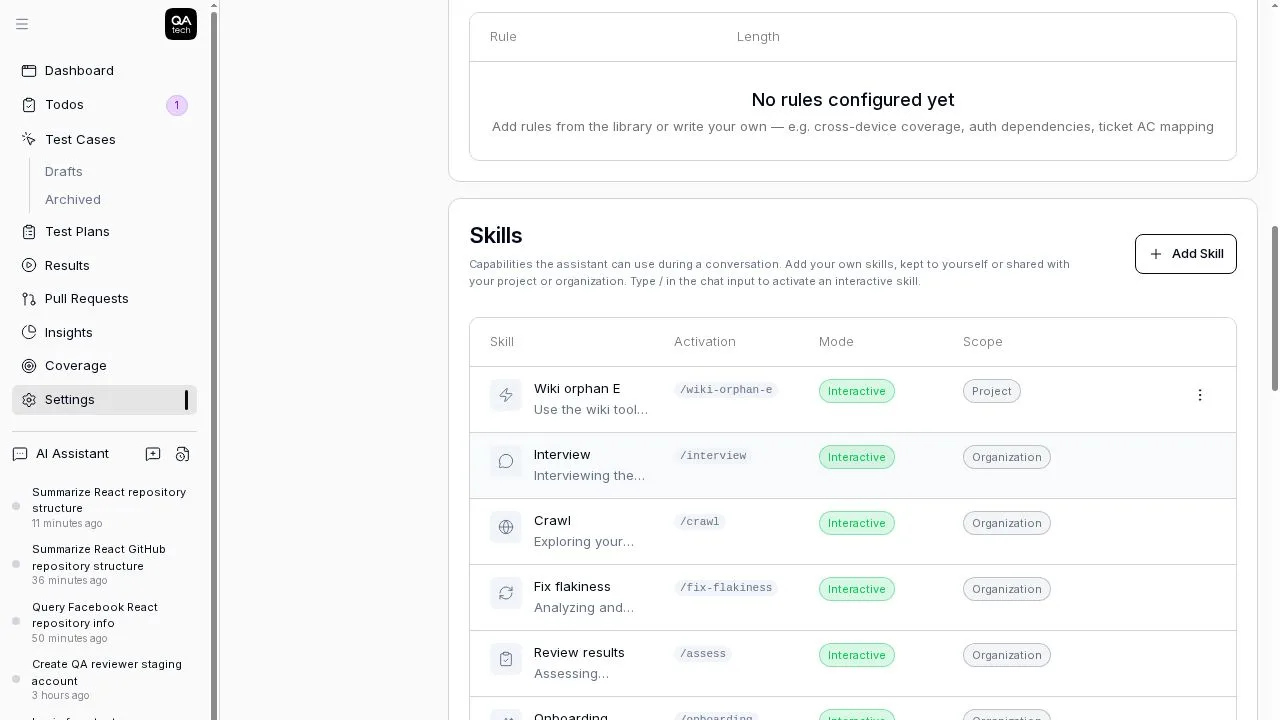
    The Skills table under Knowledge, with slash commands, mode and scope

    More on this: MCP, product and AI test generation.
    # Direct link

  2. Highlight

    Featured this release

    Export a run as a self-contained test record

    Export any finished run as a zip with every step, action, screenshot and checksum.

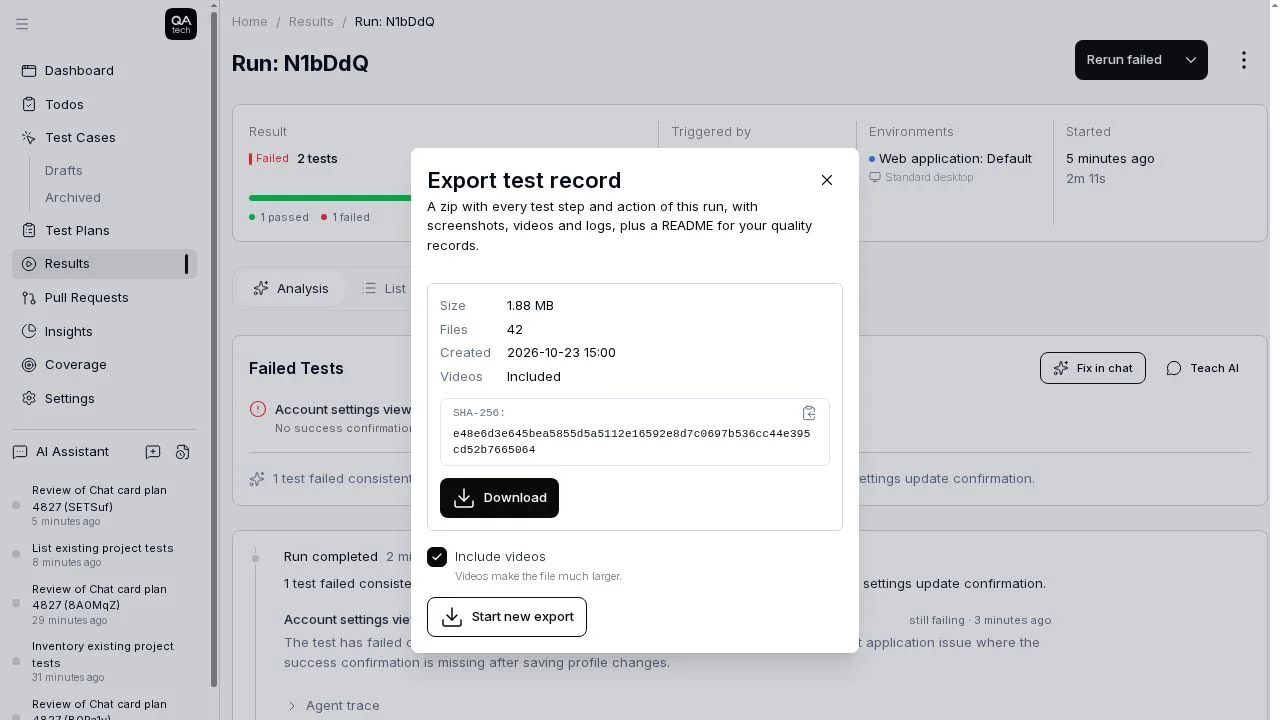
    Open a run's ... menu and choose Export test record. The archive includes a README in a regulatory test record layout, every step and agent action with before and after screenshots, optional session videos, raw logs, a JUnit XML file, and a manifest with the SHA-256 of every file. Secrets and 2FA seeds are redacted.

    The Export test record dialog with file count, checksum and an Include videos option

    The same export is available through POST /v1/runs/{runShortId}/exports, the export_run and get_run_export MCP tools, and qatech export <run> in the CLI.

    More on this: API testing, healthcare testing and fintech testing.

    # Direct link

  3. Highlight

    Featured this release

    PR reviews plan end-to-end checks from the diff and ticket

    The PR review agent reads your changes and acceptance criteria to propose the user flows worth testing.

    When QA.tech reviews a PR, it looks at the title, description, diff and any ticket acceptance criteria, then suggests end-to-end flows. Each flow has a starting page, the preconditions or test data it needs, what to verify, and a regression check for what could break. If the ticket and the diff disagree, the review calls out the gap.

    More on this: PR testing, end-to-end testing and PR and CI/CD testing.

    # Direct link

  4. Update 04 of 10

    Automations get a full editor with chat-style prompts

    Automations open in a full-page editor where you can @ mention tests and runs and pick a skill with /.

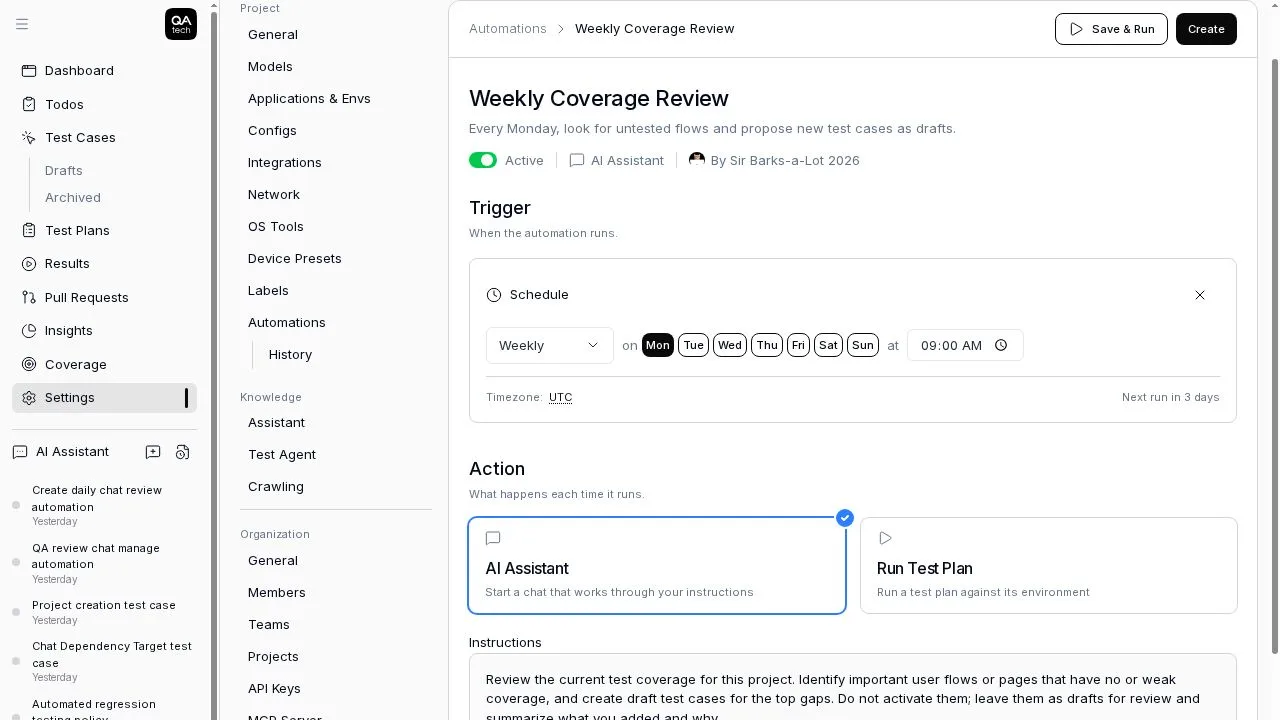
    Create or edit automations at Settings → Automations. The prompt works like the chat composer: @ references test plans, test cases, PRs, runs and people, and / picks a skill. Each automation has Settings and Run History tabs, and schedules show a live "Next run in …" preview. The list page includes examples such as Morning Regression Review and Weekly App Crawl.

    The automation editor with a weekly schedule and assistant instructions

    More on this: automated regression testing and smoke testing.

    # Direct link

  5. Update 05 of 10

    Chat reacts to failed tests while a run is going

    Failed tests reach the chat immediately, and the final verdict waits until every test has settled.

    When you start a run from chat, each failed test triggers a message right away, even while others are still running. Retries can join the run in progress. The completion message, notifications and CI status are sent once nothing in the run is in flight, and run summaries cover every execution in the run.

    More on this: automated regression testing and web testing.

    # Direct link

  6. Update 06 of 10

    Clearer Start-up plan and credit usage in billing

    Billing shows when your Start-up plan ends, and credit usage is combined into one row.

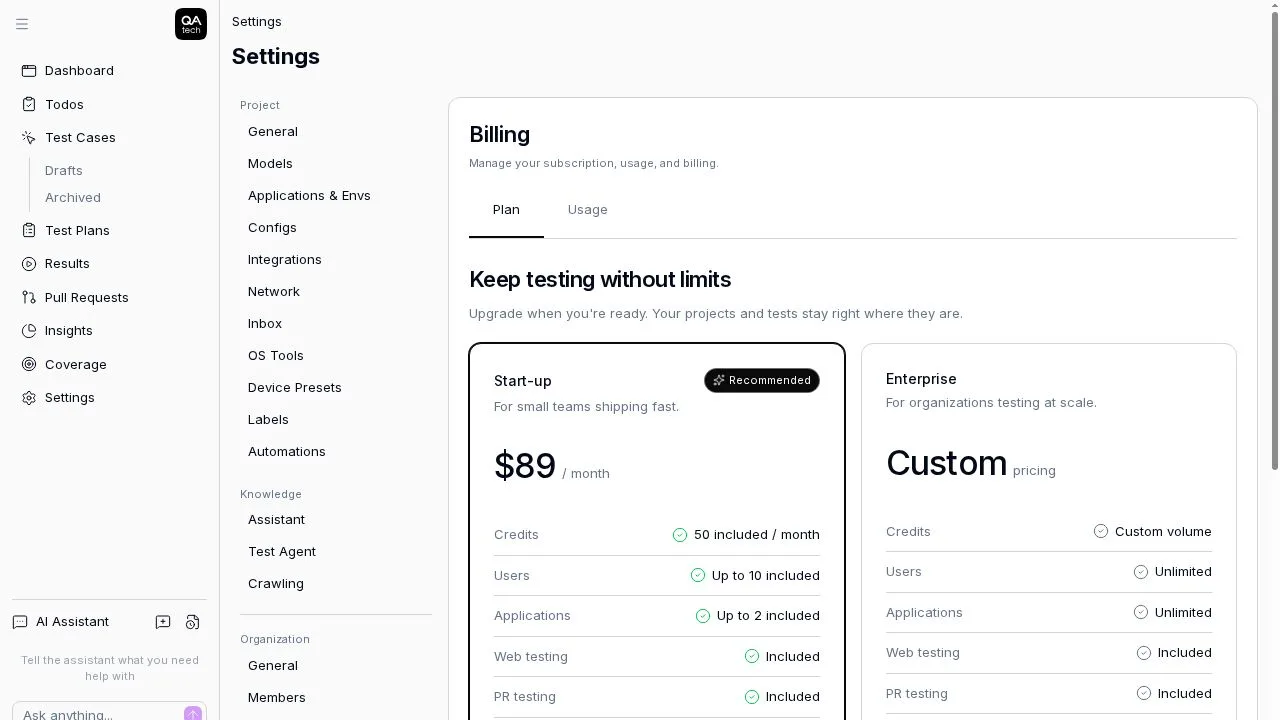
    Active plans show "Ends on " when an end date is set, and an ended plan shows when it ended with the option to upgrade again. The plan page has the key numbers up top. The sidebar credit widget sums all your credit periods into a single row – hover to see each credit with its dates and remaining balance.

    The Billing plan page with the Start-up and Enterprise plans

    More on this: pricing and subscription billing testing.

    # Direct link

  7. Update 07 of 10

    Live progress on GitHub PR reviews

    The QA.tech comment on your pull request updates in place while the review runs.

    While a review runs, the comment shows a short checklist: reading the PR, exploring the codebase, planning tests, running tests (for example 5/9), checking results and posting the review. The comment is edited rather than re-posted, so you won't get extra notifications. The QA.tech / PR Review check title shows the same progress.

    More on this: PR testing and shift-left testing.

    # Direct link

  8. Update 08 of 10

    A mobile-friendly test editor and chat

    The test editor, project switcher and chat now fit on a phone, one pane at a time.

    On small screens the test editor shows a Steps | Settings | Run switcher, and the project switcher is a full-screen overlay with pinned search. In chat, the conversation opens first and a pill in the header switches to the canvas and back, with a menu to switch or close tabs. Desktop is unchanged.

    More on this: product and mobile testing.

    # Direct link

  9. Update 09 of 10

    The PR review card shows the review as posted

    The PR review card in QA.tech shows the review as it appears on GitHub, with tests, screenshots and folded sections.

    The card renders the posted review directly, with alerts styled like GitHub's. The header shows how long the review took, or a live counter while it runs, and the Tests, Conversation and GitHub links fit one row on mobile.

    Codebase research for PRs now reads the title, description and diff on GitLab and Azure DevOps too, not only GitHub.

    More on this: PR testing and integrations.

    # Direct link

  10. Update 10 of 10

    Richer results in chat

    Chat shows test plans, pull requests, runs, configs and crawls as cards you can open, hover or @ mention.

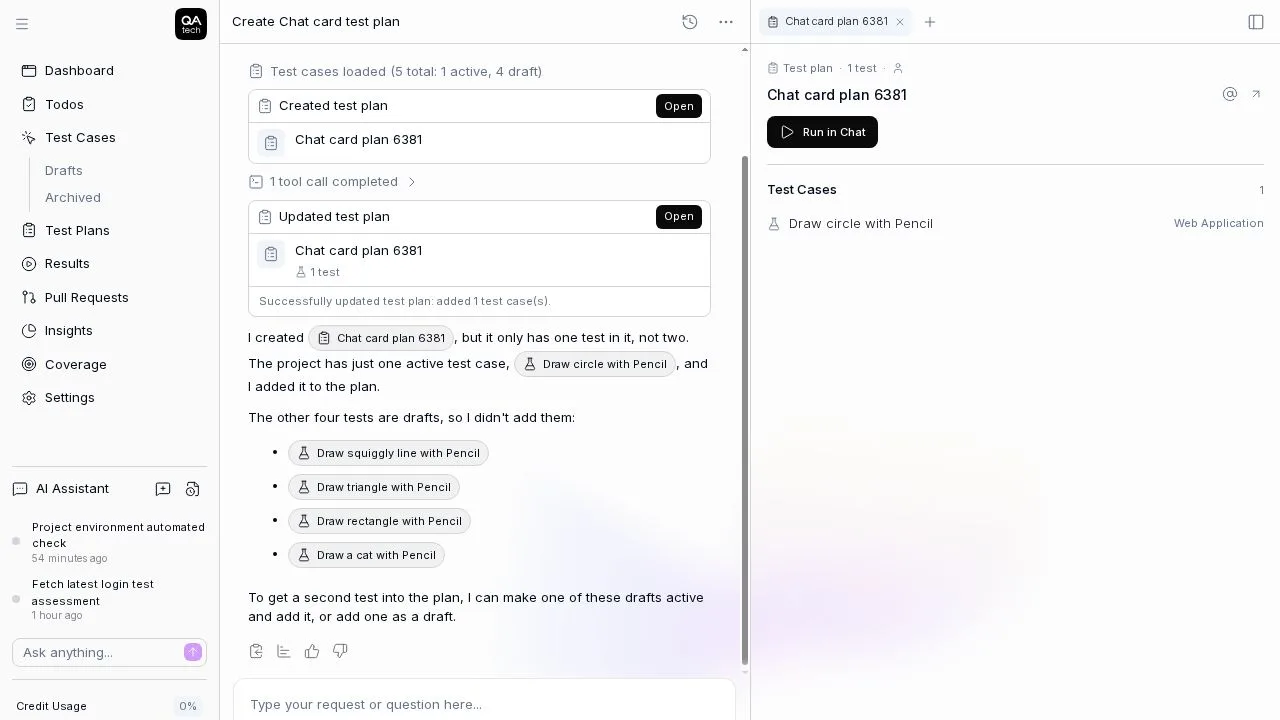
    Results from the chat agent are compact cards with an Open button that shows the full report in a canvas tab. Test plans and crawls get their own tabs, and pull request reviews can be opened and @ mentioned. Hovering any mention shows a preview with a link, and running crawls show stepped progress with a screenshot grid of the pages found.

    Test plan cards in chat opening in a canvas tab beside the conversation

    More on this: product and exploratory testing.

    # Direct link

Your team moves fast. Can your testing keep up?

QA.tech agents test your product autonomously, so moving fast never means shipping broken. See how it works in a 30‑minute demo.

Book a demo