Release notes··6 updates

/setup that handles blocked sites, self-created test accounts, and PR reviews in the chat canvas

6 updates shipped on October 29, 2026.

  1. Highlight

    Featured this release

    /setup handles blocked sites and grows your coverage

    /setup works through access walls during the first crawl and keeps adding tests for the areas you pick.

    If the first crawl hits deployment protection, basic auth, an IP block or a DNS problem, /setup explains it, fixes what it can in chat, lists what only you can do as todos, and re-crawls. It also asks about expected outcomes for the flows it found and saves your answers as memories. A new grow coverage step suggests areas specific to your app and adds a few tests without duplicating existing ones.

    More on this: SaaS onboarding testing, exploratory testing and AI QA.
    # Direct link

  2. Update 02 of 06

    Chat opens results as they arrive

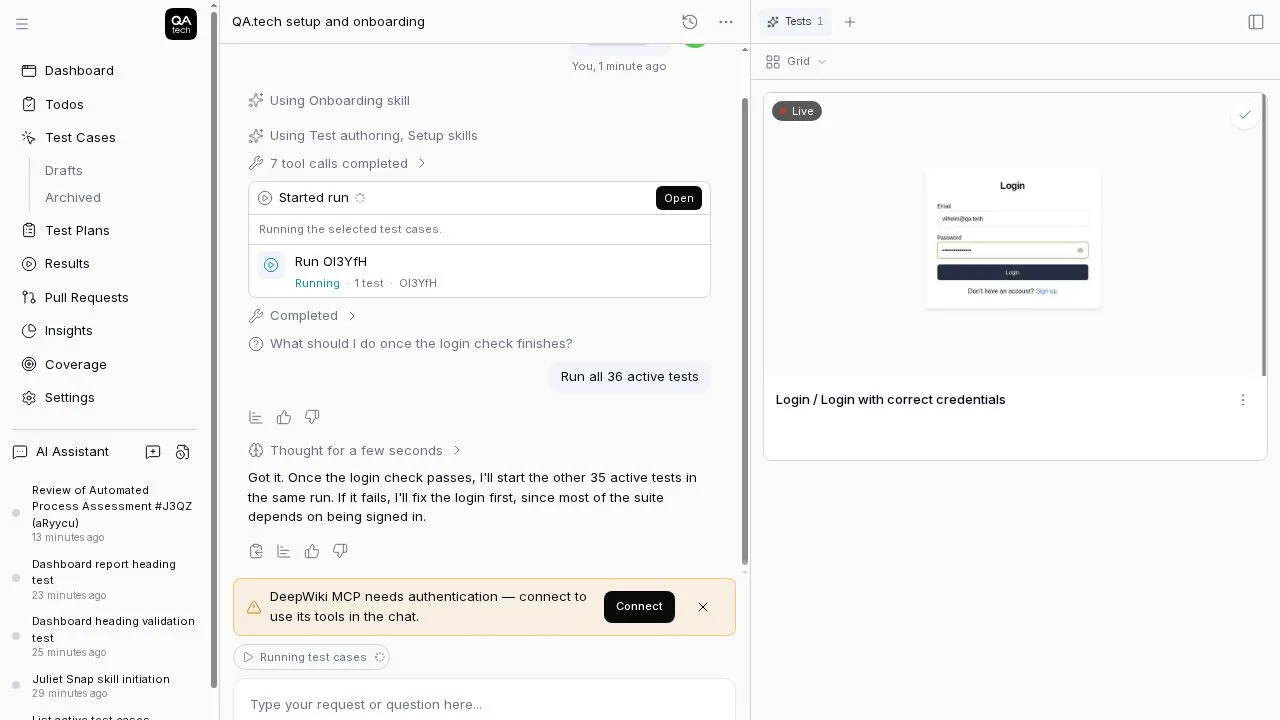
    Crawl, review, test plan and run results open in the canvas the moment they're ready.

    When chat produces a result card, its tab opens and takes focus, so the first crawl from /setup shows up without hunting for it. Reopening an older conversation doesn't pop tabs, and a tab you close stays closed. Test this PR shows the review in the PR tab with a live timer.

    A run result opening in the canvas as soon as it is ready

    More on this: product and web testing.

    # Direct link

  3. Update 03 of 06

    Chat questionnaires and an easier-to-scan Configs page

    The chat agent can ask up to six questions at once, and the Configs page gets search, filters and grouping.

    The agent docks a questionnaire above the composer with multi-select, arrow-key navigation and letter or number shortcuts. Your reply shows just the labels you picked.

    The Configs settings page has a toolbar to search, filter by application and expand or collapse groups, one collapsible card per config type, and a simpler add form grouped into Login, Email & Phone, Files & Media, and APIs & Test Data.

    More on this: product and multi-environment testing.

    # Direct link

  4. Update 04 of 06

    Pull request reviews open in the chat canvas

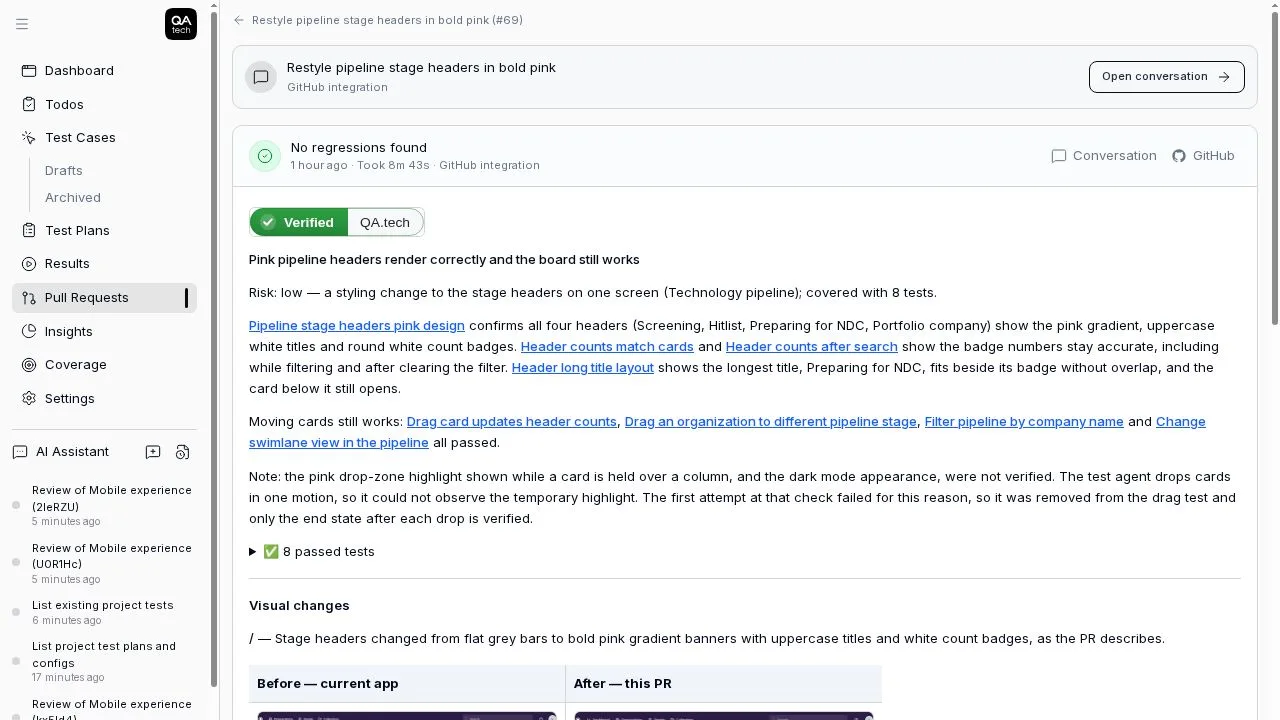
    The pull request tab in chat has Conversation and Files Changed views, and Open review jumps to the latest review.

    Use the menu under the pull request header to switch between Conversation and Files Changed, with the diff summary pinned. Open review shows the latest review in the canvas without leaving the chat.

    A verified pull request review with before and after screenshots

    More on this: PR testing and visual regression testing.

    # Direct link

  5. Update 05 of 06

    Setup asks for your code early and reports on your first PR review

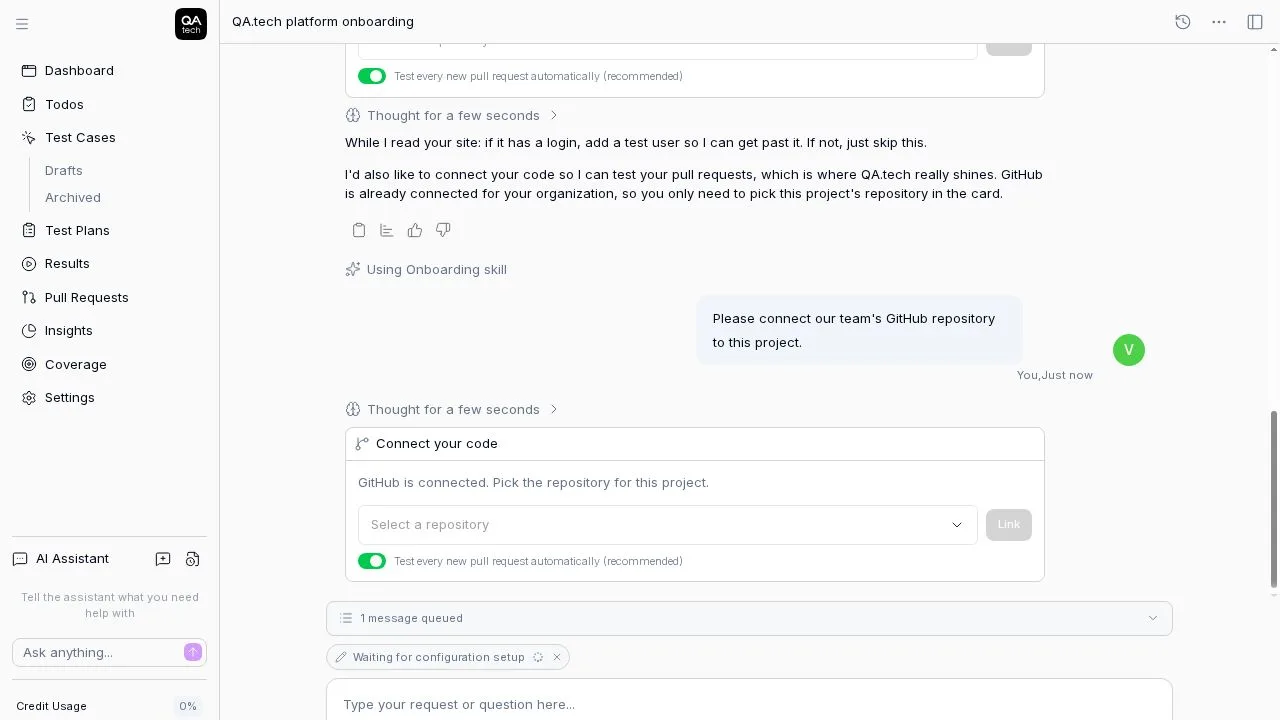
    /setup asks where your code lives in its first reply and posts the first review result back into the chat.

    The first reply starts the crawl, shows the login card and asks where your code lives. Connecting GitHub from chat has a "Test every new pull request automatically" switch, on by default. If there's no open PR with a preview, the picker offers up to five recently merged PRs tested on your app URL, and the result lands in the setup chat.

    Connecting a repository during setup, with automatic PR testing switched on

    More on this: PR testing and integrations.

    # Direct link

  6. Update 06 of 06

    Setup creates its own test account when your app has a sign up

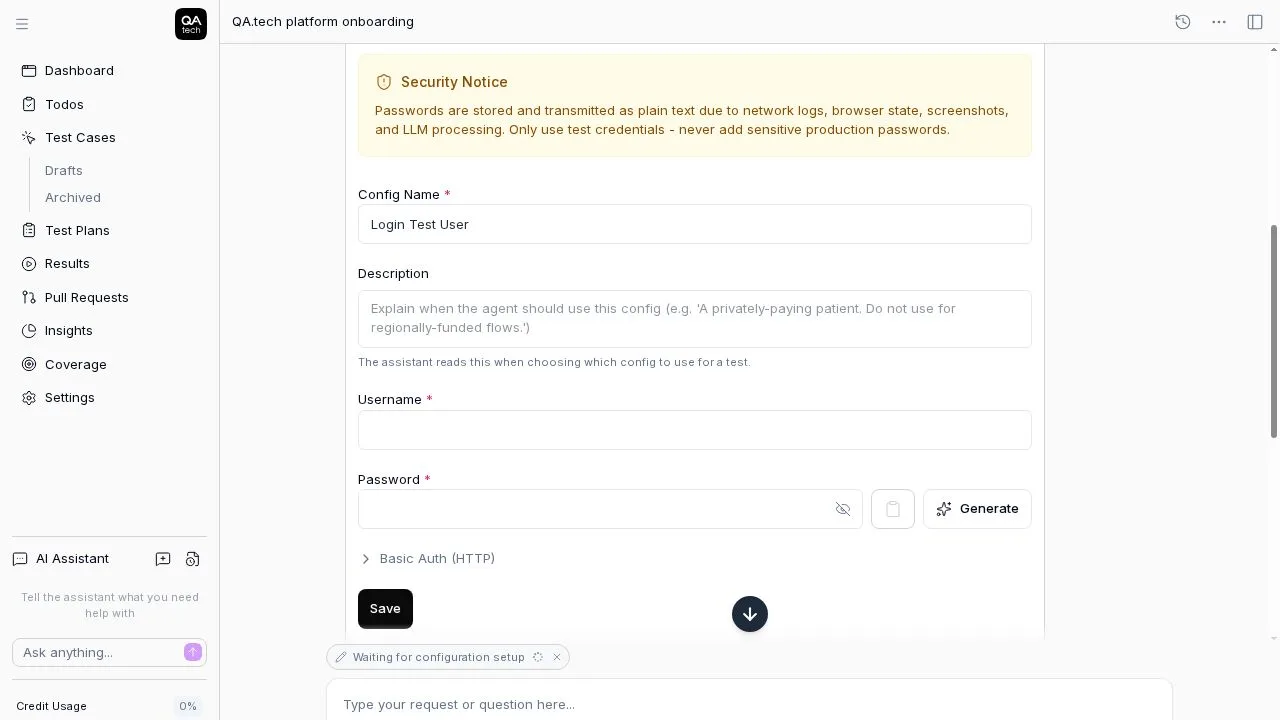
    When onboarding hits a login wall with a sign up, the agent registers a test account itself.

    If your app has Sign up, Create account, Register or Start free trial next to the login, the setup agent creates a test account with a dedicated inbox for verification codes, then crawls signed in. A specific account you add in the credentials form takes priority. If sign-up fails, the agent tells you why and asks for login details.

    The test account form during setup

    More on this: authentication testing and SaaS onboarding testing.

    # Direct link

Your team moves fast. Can your testing keep up?

QA.tech agents test your product autonomously, so moving fast never means shipping broken. See how it works in a 30‑minute demo.

Book a demo