

A monorepo with four Vercel projects gets four preview deployments on every pull request: the web app, the admin panel, Storybook and the docs site. Point a test tool at "the preview" and it has to guess, and a wrong guess is easy to miss, because a test run against Storybook can still come back green.
How the previews show up on the pull request
Each Vercel project linked to the repository builds its own preview and reports its own deployment to GitHub through the Deployments API, and each deployment carries an environment name. Anything that reads deployments off the pull request sees all of them, with nothing that marks the web app as the one users touch. You can see the names in the pull request's deployment list, and that list is what any automation has to choose from.
Map each environment name to the app it belongs to
The fix is a mapping from GitHub environment names to the applications you test. In QA.tech the names appear under Settings → Integrations → GitHub App → GitHub Environments after the first successful deploy, and you assign each one to an application. The docs spell out what happens when you leave the field empty:
| Applications selected | With no mapping |
|---|---|
| None | Every successful deployment is tested as the project's default application |
| One | Every successful deployment is tested as that application, Storybook and docs included |
| More than one | Every deployment attaches to one application, and only that one gets a preview URL |
The middle row is the one that catches people. A single-app project with Storybook in the same repo tests Storybook as if it were the product. Once any mapping exists, unmapped names like Storybook and docs are ignored for testing.
Vilhelm von Ehrenheim, our co-founder and Chief AI Officer, described our own repo on a customer onboarding call in November: "in our project, we have four or five different preview things with storybook and API and different things, and then those are named the same, and then they go kind of nicely here." The customer's previews got a new sequential name at every step, and nothing could be mapped until that changed.
Use stable names. Preview - frontend can be mapped once and reused, while a name that changes per pull request, like pr-123, has to be remapped every time. Check the names on a real pull request before you map, and if you also publish deployments from GitHub Actions, give each app one fixed environment name there too.
Scenario: the Storybook build fails and the review never starts
An unmapped preview is ignored for testing, but it still has to finish. The docs say it plainly: unmapped names "must still reach success or the review waits." So a broken Storybook build can hold up the review of an app change that never touched a story.
Two ways out. Fix or skip the Storybook build for that branch, using Vercel's Ignored Build Step if Storybook rarely changes. Or start the review yourself with @qa.tech https://<web-app-commit-url> in a PR comment, which tests that URL immediately without waiting for any deployment.
Scenario: the change spans the web app and the admin panel
A pull request that changes an API used by both the web app and the admin panel should be tested in both. With both environments mapped, each application gets its own preview URL, and the agent can test the flow end to end in each.
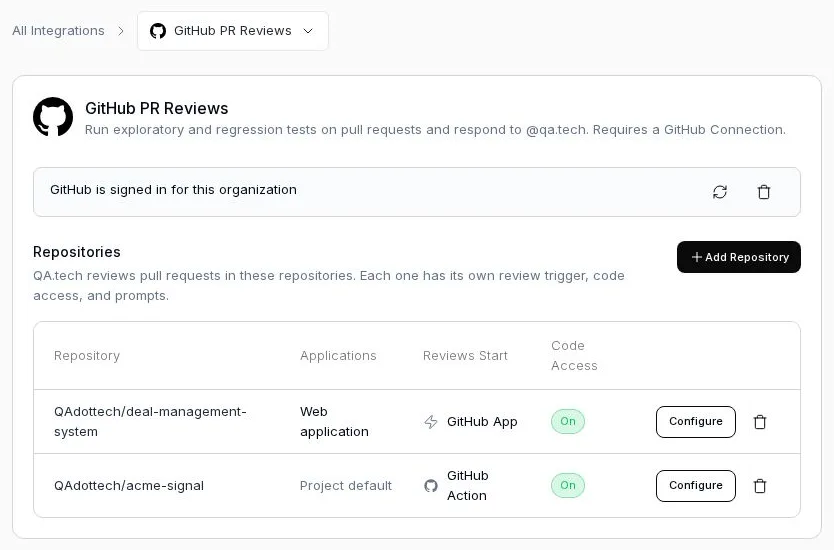
When you need more control, for instance two applications plus a deploy step Vercel doesn't run, start the review from CI with the Change Review Action and pass one applications_config entry per application, each with its own URL. Turn off Auto-run on PRs for that repository so the pull request isn't reviewed twice.
Scenario: previews only build when someone adds a label
Some teams only build a preview when a pull request carries a label, to keep build minutes down. Automatic review then starts whenever that preview arrives, which is what you want. If you also want the test step itself gated, use the Change Review Action and add an if: on the label in your workflow, so reviews only run on pull requests that have one.
What this setup gets you
The agent tests the app the change actually affects, and Storybook stops counting as a pass. The agent reads the diff, the PR description and any linked ticket to decide which flows the change reaches, picks existing test cases and writes new ones for gaps, and PR testing posts the result on the pull request with a check you can require before merge. It needs a URL with a UI to drive, so a pull request that only touches a backend service is tested through the screens that use it, or not at all.
For the basics of testing a single Vercel preview, see Vercel preview protection.
FAQ
Why does my monorepo get several Vercel previews per pull request? Each Vercel project linked to the repository builds its own preview. A repo with an app, an admin panel, Storybook and docs as separate projects gets four previews per PR.
How do I stop tests running against Storybook previews? Map the GitHub environment names of the apps you want tested to their applications. Once any mapping exists, unmapped names such as Storybook are ignored for testing.
Why is my PR review stuck waiting for a deployment?
An unmapped preview, often Storybook or docs, has failed or is still building. Unmapped deployments must reach success before the review starts. Fix that build or trigger the review with a URL in an @qa.tech comment.
Can one pull request be tested against two apps? Yes. Map both environments, or pass one entry per application with its own preview URL from CI using the Change Review Action.