

Enabling Protection Bypass for Automation takes a minute. The failures start a day later, when the bypass works on one URL and not the next, or the app loads but a payment form inside it doesn't. Each case below starts with what the test run shows, then the cause and the fix.
How Vercel protection bypass works
Since November 2023 Vercel has enabled Deployment Protection by default on new projects, so on any project created since then, every preview asks for a Vercel login. Protection Bypass for Automation gives you a secret, also exposed to the build as VERCEL_AUTOMATION_BYPASS_SECRET. Send it as the x-vercel-protection-bypass header, and for browser tests add x-vercel-set-bypass-cookie: true so the rest of the session carries a cookie. One bypass covers Vercel Authentication, Password Protection and Trusted IPs. The full walkthrough is in Vercel preview protection.
1. It worked yesterday, and today's PR shows the login page
What you see: the bypass passes on the URL you configured, then the next pull request fails at the login screen.
Why: every pull request gets a new preview URL. If the headers live on one saved environment, or the secret is baked into one URL, the next preview never receives them.
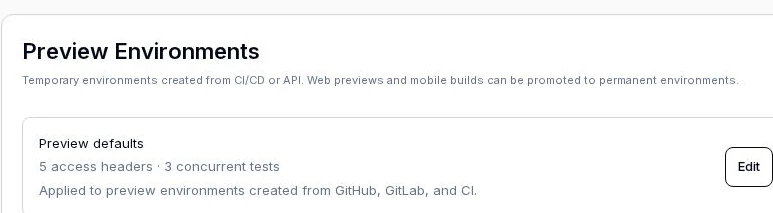
Fix: attach the headers to every preview automatically instead of to one URL. In QA.tech that's Settings → Applications & Envs → [application] → Preview Environments → Preview defaults: add a header rule once and each new preview copies it, including the next review of a commit that already has a preview. The same screen caps how many tests run at once on a preview.
2. The page loads, but Stripe, maps or video uploads fail
What you see: the app renders, and a third-party widget or a file upload fails with a CORS error or net::ERR_ABORTED.
Why: the bypass header is going to every host the page calls. Third-party servers don't expect x-vercel-protection-bypass on a cross-origin request, so the browser's preflight fails and the request never completes.
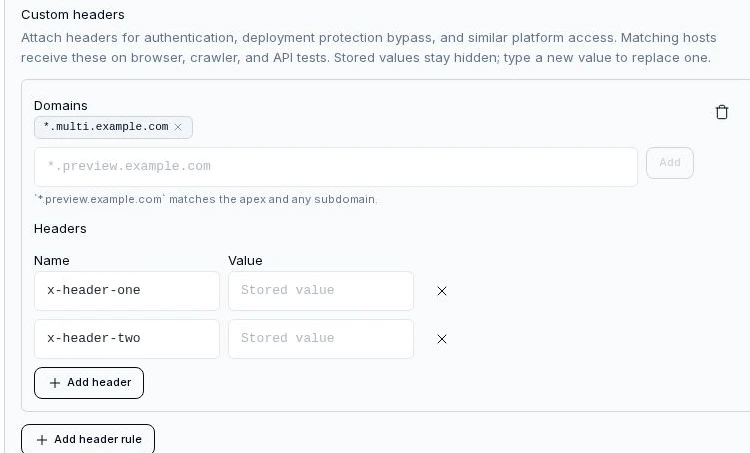
Fix: scope the header to your preview hosts with a domain pattern, and requests to any other host go out without it. *.vercel.app works, but it also matches every other site hosted on vercel.app, so a pattern for your own preview hostnames, or your custom preview domain, is tighter.
3. Login through an external identity provider drops you back at Vercel's login
What you see: the test clicks "Sign in", passes through the identity provider, and lands on the Vercel login page when it redirects back.
Why: the hop back from the identity provider is a fresh navigation to your preview. If your test tool only attached the bypass header to the first request, and no bypass cookie was set, Vercel treats the returning browser as a stranger.
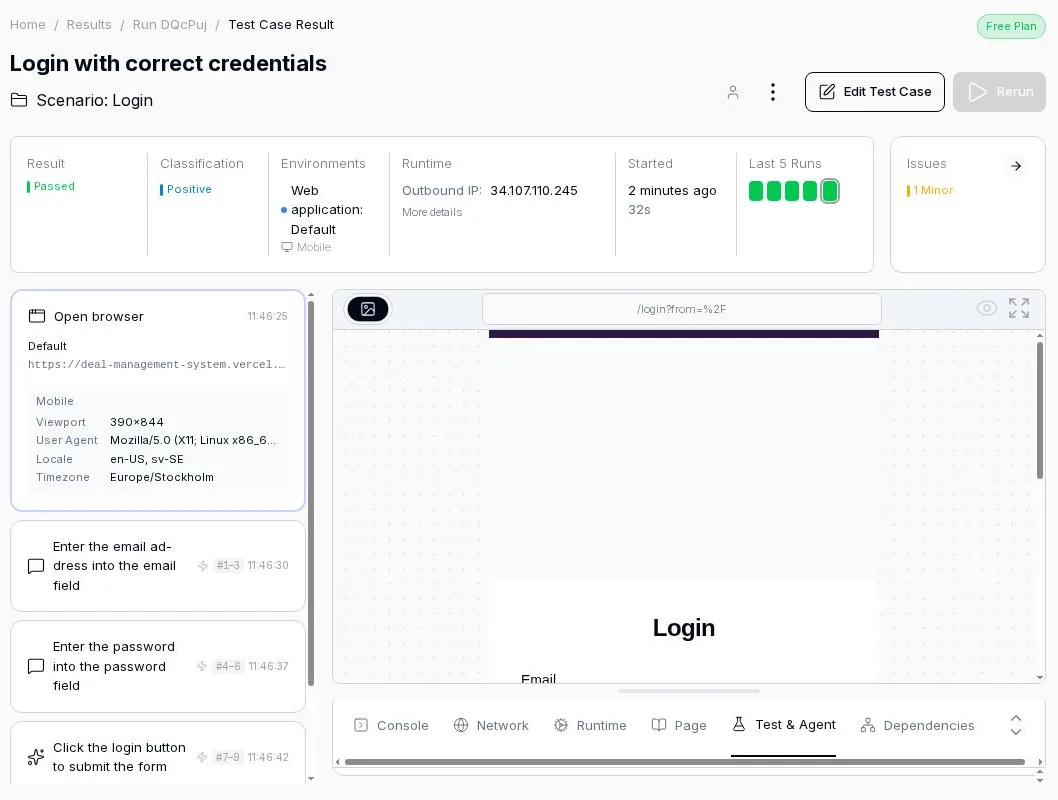
Fix: send x-vercel-set-bypass-cookie: true so Vercel sets a bypass cookie that lasts for the browser session, and attach the bypass header to every request to a matching host, not just the first. QA.tech's browser runs do both, so the redirect back from the login provider gets the header again. If the app runs inside an iframe, Vercel's docs say to use the value samesitenone so the cookie is sent in a cross-site frame.
4. Browser tests pass, API tests loop or time out
The same preview works in a browser and fails for API tests, often in a redirect loop. Vercel answers the cookie header with a redirect that sets a cookie, and an HTTP client with no cookie jar never stores it, so it follows the redirect and gets the same answer again. For API tests send x-vercel-protection-bypass on its own. Our platform drops x-vercel-set-bypass-cookie on API requests automatically for this reason.
5. You regenerated the secret and every older preview broke
Old previews start failing right after someone rotates the secret. That's documented: Vercel says regenerating or deleting a bypass secret invalidates previous deployments until they're redeployed. Update the secret in your test tool and in any GitHub Actions secret that overrides it, then redeploy the previews you still need, or push a commit to their pull requests. A project can hold more than one secret, so add the new one before you delete the old.
6. The bypass is correct and you still get a challenge page
What you see: a "Security Checkpoint" or challenge page instead of Vercel's login.
Why: that's the Vercel Firewall, not Deployment Protection. The bypass secret doesn't cover WAF rules, and Vercel says it doesn't bypass active DDoS mitigations or attack challenges either.
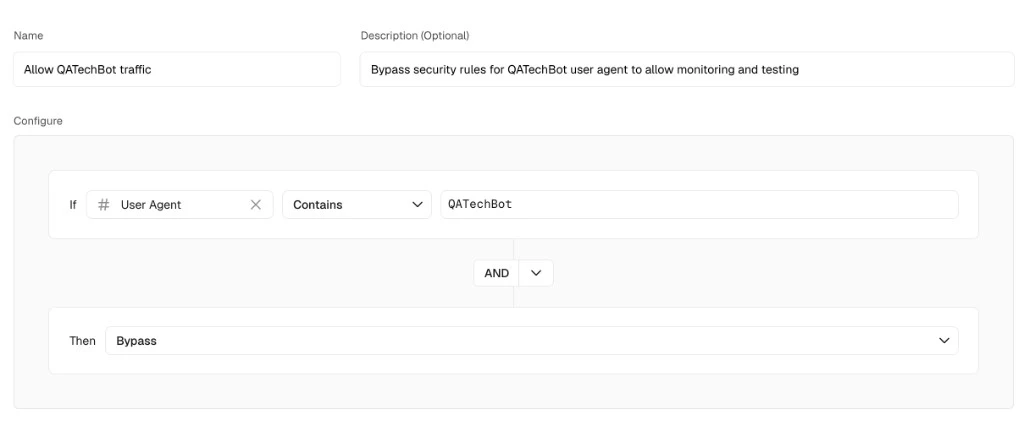
Fix: add a custom firewall rule that bypasses when the User-Agent contains your test tool's bot name. Ours identifies as QATechBot, and the rule is in our Vercel Firewall guide. User-Agents can be spoofed, so combine the rule with IP allowlisting if the preview holds anything sensitive.
Where the secret should not go
Don't put the bypass on a device or browser preset that you also use on staging and production. Those presets travel with the test scenario, so the header ends up on hosts that never needed it. Keep it on the preview environment, scoped to preview hosts. The setup steps for both browser and API tests are on our Vercel preview protection page.
FAQ
What is Vercel Protection Bypass for Automation?
A per-project secret that lets automated tools open protected Vercel deployments. You send it as the x-vercel-protection-bypass header, and it's available on all Vercel plans.
Where do I find VERCEL_AUTOMATION_BYPASS_SECRET?
Enable Protection Bypass for Automation under Settings → Deployment Protection in your Vercel project. Vercel generates the secret and also sets it as the VERCEL_AUTOMATION_BYPASS_SECRET system environment variable on deployments.
What does x-vercel-set-bypass-cookie do?
It makes Vercel set the bypass as a cookie through a redirect, so later requests in the same browser session get through without the header. Use true for normal pages and samesitenone inside iframes.
Does the bypass work for Vercel Firewall rules? No. Deployment Protection and the Firewall are separate. Allow your test tool's traffic with a custom WAF rule.
Why do third-party requests fail after I add the bypass header? The header is being sent to every host. Scope it to your preview domain pattern so cross-origin requests go out without it.